
ThreatCaptain alternatives should preserve what already works in your MSP's cybersecurity sales conversations. A replacement earns its place when you need a different evidence source, clearer finding boundaries or a more useful handoff into discovery. The best ThreatCaptain alternative in 2026 is SCOUTz for dated prospect evidence; a manual public-domain review is the better fit for a narrow, analyst-led email-security question.
- For ThreatCaptain alternatives, choose SCOUTz when MSP prospect intelligence and dated cybersecurity evidence are the job.
- Choose manual public-domain reviews for narrow questions; public observations cannot establish internal Microsoft 365 controls.
- Choose an authorized Microsoft 365 review when discovery requires tenant configuration evidence.
- Keep ThreatCaptain when your existing workflow passes the same evidence, permission and reporting tests.
Why this matters
An MSP sales tool needs to help you explain a condition without overstating it. A published email-security record can support a discovery question. It cannot establish that a business suffered a breach, intends to buy or still has an unresolved problem.
For your 2026 shortlist, compare the job each option performs. Prospect intelligence prepares a conversation. A CRM records the relationship. Delivery platforms support operational work. Replacing one category with another leaves the original job unfinished.
The useful comparison starts with evidence: its source, its date and the boundary around the conclusion. Report polish comes later.
ThreatCaptain alternatives at a glance in 2026
This comparison separates a dedicated prospect-intelligence platform from narrower review approaches. Manual reviews are workflow alternatives, rather than additional software products. Evaluate ThreatCaptain against the same acceptance criteria in your own demonstration or existing deployment.
| Option | Best for | Standout capability or approach | Difference to evaluate against ThreatCaptain |
|---|---|---|---|
| SCOUTz | MSP prospect-meeting preparation | Dated public-domain and customer-authorized Microsoft 365 evidence | Evidence provenance, explicit non-reads and client-safe explanations |
| Manual public-domain review | A focused domain or email-security question | An analyst checks public records and documents the observation | Analyst ownership and tightly bounded scope |
| Authorized Microsoft 365 review | Tenant-specific discovery after consent | Review of permitted configuration and metadata | Internal evidence, access boundaries and coverage disclosure |
| ThreatCaptain | Continuing an established workflow that meets your requirements | Demonstrate the capability your team already depends on | Benchmark the same evidence packet, permissions and follow-up task |
Use the table to select a review path. It does not establish feature parity between vendors or turn a manual process into a full platform replacement.
1. SCOUTz: best for evidence-led MSP meeting preparation
SCOUTz provides cybersecurity prospect intelligence for MSPs: dated evidence and account context to bring into a sales conversation. Public-domain observations and customer-authorized Microsoft 365 evidence have different permissions and support different conclusions. The MSP retains responsibility for interpretation, the relationship and the sale.
The client-supplied product reference dated October 15, 2026 places Microsoft 365 Review, Prospect Intelligence and Evidence Reports / Studio + Reports in Open Beta. Treat those labels as part of your evaluation, especially for multi-client workflows and reporting.
Where it shines
- Dated findings support a discussion about what was observed at a particular time.
- Public-domain evidence stays separate from consented internal evidence.
- Microsoft 365 review covers configuration and metadata, excluding mail, files, chats, documents and prompts.
- Read-only review involves no agent or install and makes no automatic configuration changes.
- Evidence-led proposals can separate the condition, affected object, unknowns and recommended outcome.
Where it falls short
- Open Beta workflows need validation against your own operating requirements.
- A domain review cannot establish Conditional Access coverage, application permissions or tenant sharing configuration.
- Findings still need practitioner review before you make a client-facing claim.
- The platform prepares sales conversations; it does not replace your CRM or delivery systems.
Head-to-head acceptance test
| Dimension | Documented approach | What to establish in ThreatCaptain |
|---|---|---|
| Evidence source | Public-domain observations separated from authorized cloud evidence | Show the source behind each finding |
| Access boundary | Read-only Microsoft 365 configuration and metadata | Demonstrate permissions and excluded content |
| Unknowns | Evidence states and coverage are separate | Show unread sources and permission limits |
| Proof | Rescan against a pinned baseline | Demonstrate the original observation and subsequent comparison |
Best for: MSP owners and sales leaders who need cybersecurity prospect intelligence between a booked meeting and a proposal.
Verdict: Buy only after the Open Beta workflow passes your acceptance test. Make Join Open Beta your next step when this is the job you need to evaluate; confirm current enrollment details through the official site.
2. Manual public-domain review: best for a narrow external question
A manual public-domain review suits a specific question about publicly observable domain or email configuration. Your practitioner inspects the relevant source, records the observation and writes the discovery question. The scope stays small because the analyst owns the collection and explanation.
For example, a published DMARC policy requesting monitoring only supports a conversation about intended enforcement and reporting. It does not prove compromise or establish whether the organization's current approach is inappropriate.
Where manual review shines
- The analyst can match the review to a clearly defined question.
- Each conclusion can stay close to its underlying public record.
- You can explain the evidence boundary directly to the prospect.
Where manual review falls short
- Collection, interpretation and report preparation remain practitioner tasks.
- Consistency depends on the checklist and evidence-recording process you maintain.
- Public records do not reveal internal tenant controls.
| Dimension | Manual public-domain review | ThreatCaptain evaluation task |
|---|---|---|
| Collection | Analyst records public evidence | Inspect collection sources and observation dates |
| Interpretation | Practitioner writes the consequence and question | Review how conclusions stay attached to evidence |
| Repeatability | Maintained checklist and saved baseline | Repeat the same review and compare outputs |
Keep public observation distinct from active probing. Agree on scope and permission before any work that goes beyond the intended public-source review. Offer outreach assessments as opt-in courtesies after a reply, rather than treating a public record as permission for broader testing.
Best for: A practitioner-led review of a specific domain or email-security condition.
Verdict: Buy into this approach for narrow scope; skip it as a substitute for internal tenant evidence.
3. Authorized Microsoft 365 review: best for tenant-specific discovery
An authorized Microsoft 365 review addresses questions that public-domain evidence cannot answer. With customer consent and appropriate permissions, an assessor reviews the configuration and metadata within the agreed scope. Record the actual access granted before interpreting the results.
This is a review approach, not a claim that every assessment product exposes the same evidence. Your chosen method must show which sources were read and which remained outside coverage.
Where authorized review shines
- Discovery can address tenant configuration rather than infer it from public records.
- Findings can identify an affected object and the evidence supporting the condition.
- A documented baseline supports a later review of what changed.
Where authorized review falls short
- Customer authorization is a prerequisite for internal evidence collection.
- Permissions and licensing can restrict coverage.
- Configuration evidence alone does not establish business intent or prove exploitation.
| Dimension | Authorized Microsoft 365 review | ThreatCaptain evaluation task |
|---|---|---|
| Authorization | Customer-approved scope and permissions | Show the consent and access process |
| Coverage | Readable sources and explicit limits | Identify permission-limited and unread sources |
| Follow-up | Practitioner interprets the observed configuration | Demonstrate an evidence-backed discovery handoff |
A tenant-wide application permission is not proof of a malicious application. Keep the permission, affected application, unknowns and intended outcome separate. Ask the accountable owner to confirm purpose before recommending action.
Best for: Prospects who have agreed to internal discovery and need tenant-specific evidence.
Verdict: Buy into this approach after consent; wait when authorization or scope remains unsettled.
Why people switch from ThreatCaptain
Switch for a requirement your current workflow cannot satisfy. This is a decision framework, not a claim about ThreatCaptain customer behavior or undocumented product limitations.
Use these requirements to establish whether a change is justified:
- You need the collection source and observation date attached to each finding.
- You need public-domain evidence separated from customer-authorized tenant evidence.
- You need unread sources disclosed rather than interpreted as absent controls.
- You need an owner-facing explanation that preserves technical limits.
- You need a repeatable comparison against a saved baseline.
Test each requirement in the existing workflow first. If ThreatCaptain already satisfies the requirement, that item supplies no reason to replace it. If it fails, record the exact failure and make the replacement demonstrate the same task.
A feature checklist is insufficient. Ask the evaluator to trace a finding from source to explanation, then show how the next review will establish change.
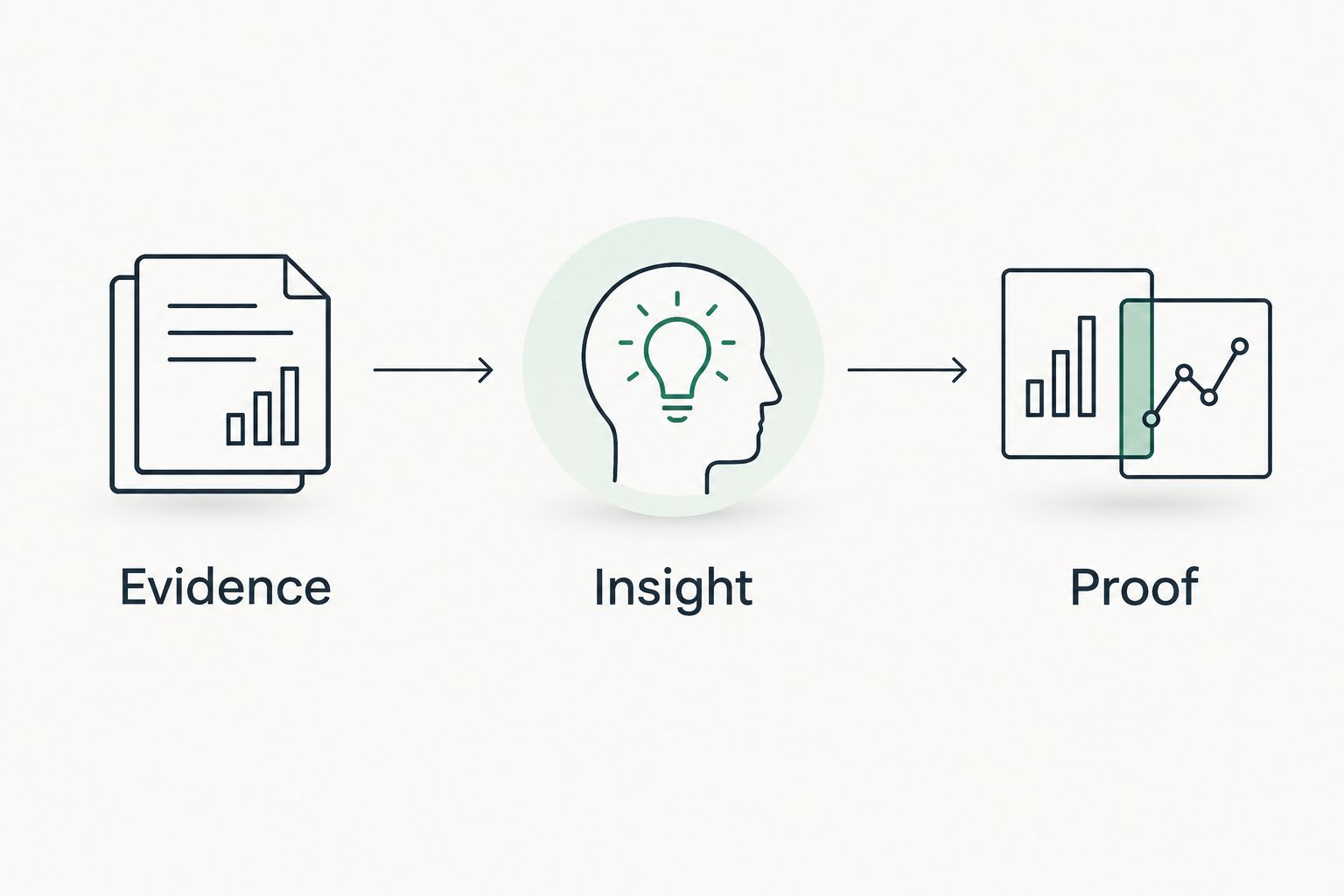
Use evidence, insight and proof in your evaluation
For a 2026 evaluation, carry the same permitted example through every option. Keep the scope constant so report appearance does not obscure differences in evidence handling.
Evidence
Record at least 3 fields: source, observation date and affected object. Preserve the actual condition separately from interpretation. If the source is unreadable, say so.
Insight
Explain the possible business consequence and identify the owner who can confirm context. A monitoring-only DMARC policy warrants a question about intent and reporting. It does not warrant a breach claim.
Proof
Pin 1 baseline before a change. Rescan the same condition after the agreed action, then describe what changed within the assessed scope. A rescan supports that comparison, rather than a guarantee of overall security.
Keep 2 evidence sources distinct throughout the exercise: public-domain observations and customer-authorized internal evidence. An attractive summary must preserve that separation.
Use the domain scan to first-call evidence packet workflow to structure the handoff into discovery. The packet should tell the salesperson what was observed, what remains unknown and which question belongs in the meeting.
When staying with ThreatCaptain is the right call
Stay with ThreatCaptain when your established workflow passes the evidence test and meets the job you need done. A different interface or a longer finding list is not, by itself, a reason to change.
Before switching, have a salesperson explain a finding without the technician filling in missing context. Then have the technician trace the explanation back to its source. Keep the existing workflow when both can complete that handoff accurately and your remaining requirements are met.
Choose SCOUTz for dated MSP prospect intelligence, not for a promise that a scan will close a deal. The relationship and the sale stay yours.
FAQ
What's the best ThreatCaptain alternative for MSP sales in 2026?
SCOUTz is the best fit when your requirement is dated cybersecurity prospect evidence for MSP sales preparation. Evaluate its Open Beta workflows against your own evidence, permission and reporting requirements before adopting it.
Is this a feature-by-feature comparison with ThreatCaptain?
No. This comparison identifies alternative approaches and gives you consistent acceptance tests for ThreatCaptain and a replacement. Establish vendor-specific capabilities through a demonstration or your existing deployment.
Can a public-domain review assess Microsoft 365 security?
A public-domain review cannot establish internal Microsoft 365 controls such as Conditional Access coverage, application permissions or tenant sharing configuration. Those questions require authorized internal evidence within an agreed scope.
Can I prepare for a prospect meeting without accessing the client's network?
Yes, public-domain observations can support bounded meeting preparation without an internal network review. Keep public observation separate from active probing and obtain appropriate authorization for broader assessment work.
Does a missing or unread source mean the prospect has no control?
No. Unreadable evidence leaves the relevant condition unknown. Record coverage separately, including permission or license limits, and identify what was not assessed.
Does a security finding prove that a prospect wants to buy?
No. A finding supports a discovery question, not a conclusion about buying intent. Public events and enrichment can prioritize research, while the prospect confirms business priorities.
How should I compare assessment results after remediation?
Compare a rescan against a pinned baseline for the same condition and assessed scope. Preserve the original evidence and describe the observed change without claiming overall security or guaranteed remediation.
One last thing
Ask each evaluator to show an unread source before showing a favorable result. That reveals whether the reporting process preserves uncertainty when the evidence runs out.
A credible proposal can contain an unknown. It becomes misleading when the unknown disappears from the explanation.