
Yes. MSP tools for compromised account detection can automatically flag suspicious sign-ins, exposed credentials, and activity that matches detection rules, but an alert does not always establish that an attacker controls the account. For your 2026 evaluation, separate automated detection from investigation and response: each requires its own evidence, permissions, and owner.
- MSP tools for compromised account detection flag signals; confirming account takeover requires investigation.
- Microsoft Entra sign-in evidence and credential exposure records answer different questions.
- SCOUTz is best for MSP prospect intelligence and dated security-review preparation, rather than live account-takeover detection.
- Keep unread evidence unknown, and assign an owner before enabling automatic response.
Why this matters
A leaked credential, a permissive application, and an unusual sign-in describe different conditions. Treating them as interchangeable produces the wrong client conversation and the wrong response.
For MSP owners, the distinction also defines what you sell. A configuration assessment establishes what was reviewed at a particular time; an operational detection service needs ongoing telemetry, alert ownership, and an agreed response process. Use the same discipline when you validate security assessment findings before a call.
Can MSP security tools detect a compromised account automatically?
They can detect evidence consistent with compromise automatically. Whether that evidence confirms compromise depends on the underlying activity and its context. Some detections identify a suspicious event; others correlate events into a stronger incident case.
Compare tool categories by their jobs. The table separates detection, exposure discovery, and assessment so you can choose the right evidence source.
| Tool category | Best for | Useful evidence | Strength | Limitation |
|---|---|---|---|---|
| Identity monitoring | Investigating suspicious authentication | Sign-in events, risk detections, authentication details | Connects alerts to identity activity | An unusual sign-in requires context; coverage depends on accessible telemetry |
| Credential exposure monitoring | Finding credentials in breach datasets | Matched identifiers and source records | Identifies exposure that deserves review | A match does not establish current password validity or account takeover |
| Email security monitoring | Investigating suspicious mailbox activity | Available audit events, rule changes, message-related detections | Adds context around account misuse | Authorized changes can resemble malicious behavior |
| Endpoint detection | Investigating activity on managed devices | Process, execution, and endpoint security events | Connects identity concerns to device behavior | Endpoint visibility alone does not cover every cloud session |
| Security posture assessment | Reviewing configuration and control gaps | Settings, permissions, and dated assessment findings | Supports scope decisions and follow-up verification | A point-in-time finding does not establish an active incident |
No category establishes complete account history by itself. Choose the evidence needed for the decision, then identify what remains outside the review.
Identity monitoring: suspicious access needs context
Identity monitoring is the closest match when your question concerns unauthorized sign-ins. Microsoft Entra sign-in logs, for example, provide authentication records that investigators can examine alongside available risk detections and audit activity.
The useful evidence is the event behind the alert. Preserve the affected identity, event time, application, authentication result, source details, and detection reason. A location anomaly alone is weaker evidence than a correlated sequence of suspicious authentication and unauthorized account changes.
Travel, VPN use, shared infrastructure, and legitimate administration complicate interpretation. An analyst should test the explanation against additional evidence rather than dismissing or confirming the alert from its title.
During a 2026 evaluation, ask the vendor to demonstrate an alert with its underlying events. Separate features included in the proposed service from features that require additional licensing or configuration.
Credential exposure monitoring: a match is an exposure finding
A breach-data match means an identifier or credential appears in the monitored source. It does not establish that the same password still works, that the record is recent, or that anyone accessed the client's tenant.
Preserve the source's stated dates separately from the date your tool discovered the match. Those dates answer different questions. Do not describe a newly discovered historical record as a new compromise.
The next action belongs to the client's authorized security owner. Review credential hygiene, authentication protection, and relevant account activity through the approved process. Keep exposed secrets out of sales slides and routine report emails.
Credential exposure supports an investigation; it does not replace one. The client-facing statement should name the matched evidence and its limits without turning exposure into a breach claim.
Security assessments: configuration evidence has a different job
A configuration review establishes observed settings and coverage boundaries at the time of review. It can identify conditions that deserve attention, but a missing control is different from evidence that an attacker used the account.
Public-domain observations and customer-authorized internal evidence are 2 distinct evidence sources. A public-domain review cannot establish Conditional Access coverage, application permissions, license assignments, Intune device state, or tenant sharing configuration.
A customer-authorized Microsoft 365 review can examine the configuration and metadata within its granted scope. Permission or license limits still matter. An unread source remains unknown even when every readable check returns an acceptable result.
For example, a published DMARC policy requesting monitoring describes email-authentication policy. It does not demonstrate mailbox compromise. Likewise, tenant-wide application permission establishes granted access, not malicious intent or misuse.
Why automatic detection coverage varies
Detection coverage depends on what the service can read and what it does with that evidence. Evaluate these factors separately in your 2026 service review:
- Telemetry scope: identity, email, endpoint, and application sources expose different activity. Document the sources included in the service.
- Permissions: missing access prevents collection. Record that boundary instead of treating unavailable events as absent events.
- Licensing: available logs, detections, and response features depend on the deployed service and license entitlements.
- Collection timing: a point-in-time review and ongoing monitoring answer different questions. Record collection timing and the event period examined.
- Detection logic: individual rules and correlated detections have different evidence requirements. Ask what condition actually triggers the alert.
- Operational ownership: an alert needs a recipient, triage criteria, escalation route, and authority to act. Unassigned alerts leave the response decision unresolved.
A feature list cannot establish these boundaries. Require a demonstration against the proposed deployment scope and capture exclusions in the service agreement.
How to turn an automated alert into a defensible decision
Use 4 review steps: Collect evidence, Review context, Choose action, and Verify outcome. Keep the original observation intact as the investigation develops.
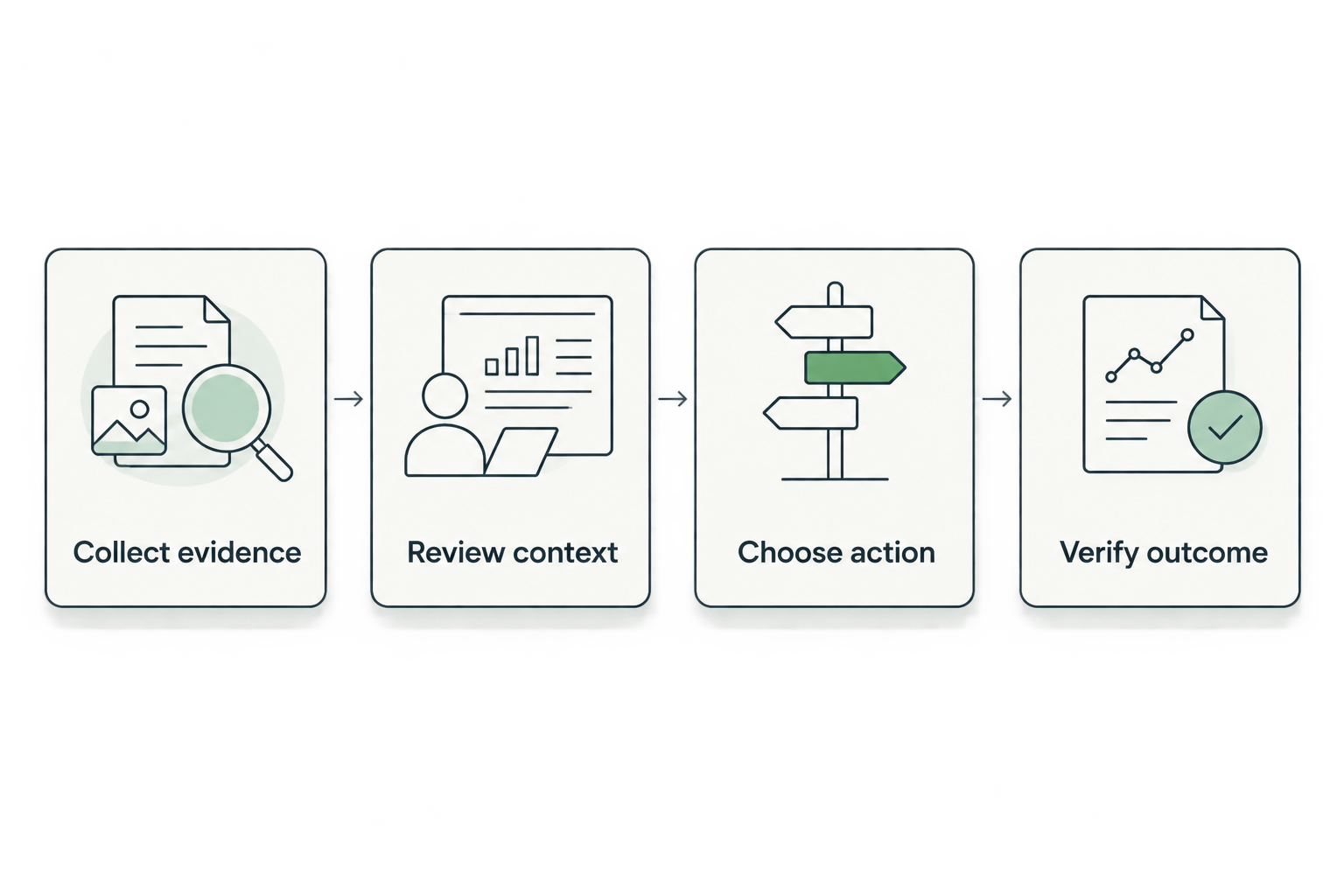
Collect evidence
Record the alert source, detection name, affected object, event time, collection time, and accessible supporting events. Preserve the original event identifiers so another practitioner can trace the claim.
Use a full timestamp with its time zone. For a review performed in 2026, keep the event date distinct from the date the report was generated; a fresh report can contain older evidence.
Review context
Compare the observation with authorized activity, account purpose, and related events. Confirm unexpected activity with the user through a trusted channel when the incident process calls for it.
Keep evidence state separate from coverage. The 6 evidence states are Verified, Observed, Inferred, Possible, Unknown, and Unreadable. They are distinct descriptions, not a score ladder.
The 5 coverage labels are Assessed, Partial, Not assessed, Permission limited, and License limited. An observed configuration finding can coexist with permission-limited access to another source. Neither label establishes complete tenant visibility.
Choose action
Assign an incident owner and apply the client's approved response procedure. Available actions depend on the platform and granted authority; they can include restricting access, revoking sessions, resetting credentials, or reviewing application grants.
Automatic containment needs explicit scope and approval. Blocking a legitimate account can interrupt business, so document the trigger, exceptions, notification path, and recovery process before enabling it.
Verify outcome
Check that the intended change occurred and review the relevant evidence for continued suspicious activity. Distinguish successful execution of an action from resolution of the investigation.
For configuration work, compare a rescan against a pinned baseline. That demonstrates what changed within the assessed scope; it does not establish that every persistence mechanism or historical access path has been eliminated.
Where SCOUTz fits in an MSP account-security conversation
SCOUTz is best for MSP prospect intelligence and dated security-review preparation. Its role is to help you bring evidence and account context into discovery, proposals, and client reviews. Keep live detection and incident response assigned to the operational service responsible for them.
The client-provided product reference dated October 15, 2026 labels Microsoft 365 Review as Open Beta. The review is read-only, requires customer authorization, and examines configuration and metadata rather than mail, files, chats, documents, or prompts. It makes no automatic configuration changes.
The useful output is a bounded conversation: what ran, what was observed, what remains unknown, and which decision belongs to the client. The limitation is equally important: dated assessment evidence does not establish continuous monitoring or confirmed account takeover.
Use SCOUTz cybersecurity prospect intelligence to prepare the question and proposed scope. Let the client choose a service, process change, project, further investigation, or no action. The MSP retains responsibility for the relationship and sale.
Join Open Beta is the next step for MSPs evaluating that evidence-led preparation workflow.
FAQ
Can MSP tools detect a compromised account without human review?
MSP tools can generate detections automatically, but an alert does not always confirm account compromise. Investigation must establish what the underlying events support and who has authority to respond.
Does a dark web credential match mean the account was hacked?
A credential match establishes exposure in the monitored source, not confirmed access to the current account. Review the source dates, account activity, and credential status through an authorized process.
Can a public-domain scan detect a compromised Microsoft 365 account?
A public-domain scan cannot establish internal Microsoft 365 account compromise. It does not establish Conditional Access coverage, tenant application permissions, or internal account activity.
Can MSP tools automatically disable a suspicious account?
Some security platforms support automated access restrictions when configured and authorized to do so. Confirm the exact trigger, permissions, exception handling, and recovery procedure before enabling automatic containment.
Is a Microsoft 365 security assessment the same as continuous monitoring?
A Microsoft 365 security assessment is not the same as continuous monitoring. A dated review establishes observations within its collection scope; monitoring requires ongoing telemetry and alert handling.
Does SCOUTz replace compromised-account detection tools?
SCOUTz prepares MSPs with dated cybersecurity evidence and prospect intelligence rather than replacing operational account-compromise detection. Customer-authorized Microsoft 365 evidence is read-only configuration and metadata, with collection limits kept explicit.
What should an MSP compare when choosing detection tools in 2026?
Compare evidence coverage, source access, detection logic, response authority, and alert ownership when choosing detection tools in 2026. Require the vendor to demonstrate the evidence behind an alert and identify what the proposed deployment cannot assess.
One last thing
A report generation date is not an observation date. Before presenting an account-security finding, check when the underlying event occurred, when it was collected, and whether the relevant source was readable.
Give the client a specific next choice: authorize investigation, validate a configuration, assign an owner, or accept the documented boundary. Keep incident response separate from the proposal discussion when the evidence warrants escalation. That preserves both the technical claim and the client's ability to decide.