
Instead of manually turning domain findings into disconnected tickets, build a domain fix lab remediation plan that carries the evidence, owner, approved action and verification rule together. SCOUTz cybersecurity prospect intelligence is best for MSPs preparing evidence-led client conversations; your team approves the scope and makes the changes.
- A SCOUTz domain fix lab remediation plan connects dated domain evidence to approved work and a verification rescan.
- Public-domain observations cannot establish internal Microsoft 365 configuration or confirm a breach.
- Keep each finding’s source, date, limits, owner and acceptance rule attached throughout remediation.
- Read-only reviews make no automatic changes; the MSP and client decide what happens next.
Why this matters
A finding describes a condition at a particular time. A remediation plan adds the client’s intended outcome, the person responsible and the evidence needed to close the work.
For your 2026 workflow, separate three things: what the review observed, what your team inferred and what the client authorized. A monitoring-only DMARC policy, for example, is an observable configuration. Whether that policy remains appropriate requires sender context and a conversation with its owner.
The deliverable is an agreed action with a testable outcome. A score change alone does not explain what changed or establish that the client’s objective was met.
Before you start
- Access to the relevant domain review and Domain Fix Lab evidence, including check names, affected domains, run dates and coverage limits. Keep the original evidence available for comparison.
- A client-authorized decision-maker and an identified DNS or email administrator. Review access does not grant permission to edit records; agree the change authority separately.
- A remediation worksheet or PSA ticket template. The non-obvious dependency is legitimate sender inventory: changing DMARC enforcement before understanding sending sources can affect legitimate mail.
SCOUTz reviews are read-only, require no agent or install, and make no automatic configuration changes. Public-domain evidence stays separate from customer-authorized Microsoft 365 evidence, which covers configuration and metadata rather than message or document content.
The steps below use suggested worksheet fields, not product button names or a claimed native integration. Copy them into your existing work-management system. Ticket-ready text exists; native Send to ConnectWise is planned, so keep this handoff manual.
Build the remediation workflow
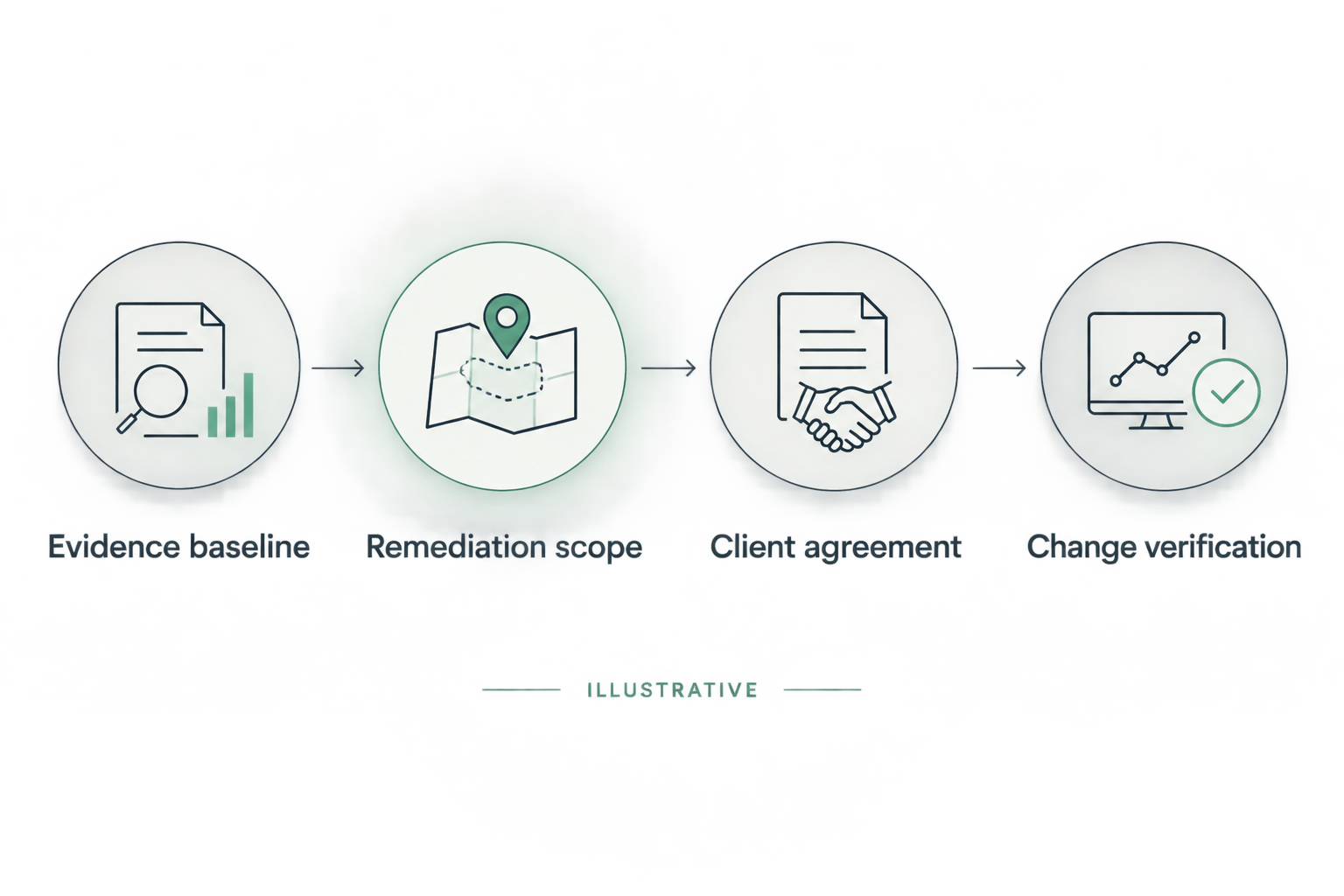
Evidence baseline
- Identify the exact domain and affected object. Preserve the full hostname where relevant rather than collapsing every observation into the organization’s primary domain.
- Copy the check name, observation and run timestamp into your worksheet. Preserve the source and any qualification attached to the result.
- Record the evidence state separately from coverage. Observed and Unknown describe different evidence situations; Partial and Permission limited describe coverage.
- Save a fixed baseline reference. Record which run you will compare against after the approved work.
Use suggested fields such as Check, Affected object, Source, Run date, Observation, Evidence state, Coverage and Baseline reference. These labels organize the handoff without implying that the product contains matching controls.
An illustrative baseline dated October 26, 2026 should remain labeled with that date when it appears in a later proposal. Never replace the original date with the proposal’s publication date.
Expected result: another technician can identify what was observed, where it came from and which baseline will anchor verification. If the evidence cannot support those answers, keep the item in investigation.
For disputed observations, use the finding-validation workflow before a client call before turning the item into proposed work.
Remediation scope
- Describe the intended outcome independently of a vendor or product choice. For DMARC, that starts with understanding the intended policy and legitimate sending sources.
- Name the unknowns. Public DNS evidence does not establish who reviews aggregate reports or whether the organization has finished its sender inventory.
- Identify the accountable client owner and the person authorized to implement changes. Record dependencies on a registrar, email provider or incumbent MSP.
- Define the smallest approved next action, its acceptance rule and its exclusions. Add rollback planning before configuration work begins.
Use suggested fields Intended outcome, Unknowns, Accountable owner, Implementer, Dependencies, Acceptance rule and Exclusions.
For an illustrative DMARC item, the first action can be a sender-and-reporting review rather than an immediate enforcement change. The acceptance rule for that investigation is a documented inventory and an agreed policy decision. It is different from the acceptance rule for a later DNS change.
Expected result: the scope distinguishes investigation from implementation. The client can approve either stage, defer it or choose no change with a recorded rationale.
Client agreement
- Find the decision. State exactly what approval is needed, such as permission to review sender reports or authorize a scoped DNS change.
- Bring the evidence. Show the dated observation, its possible consequence and its limits without implying compromise.
- Build the scope. Present the proposed work, exclusions, dependencies and completion evidence in terms the owner can approve.
- Earn the next commitment. Record the approved action, responsible person and agreed review date in the account record.
This applies the SCOUTz Evidence-to-Agreement Framework to remediation. It is a conversation framework, not evidence of improved close rates. The MSP retains responsibility for the relationship and sale.
Use this illustrative meeting script only after substituting the actual finding and date:
The review observed a monitoring-only DMARC policy on October 26, 2026. That describes the published policy; it does not establish compromise. We propose reviewing legitimate senders and reporting ownership before recommending an enforcement change. Please confirm the owner and whether you authorize that review.
If the client says the existing provider already handles it, request the provider’s current evidence and intended policy. Treat that response as context to reconcile, rather than an objection to defeat.
Expected result: an explicit decision and next action. Sending a report or receiving an email open does not establish agreement.
Change verification
- Hand the approved scope to the authorized implementer. Include the baseline reference, dependencies, rollback approach and acceptance rule.
- Record the actual change and implementation timestamp in the work record. Keep implementation notes separate from the scanner’s observations.
- Rescan after the agreed change window, accounting for the record’s caching behavior and the scope of the check.
- Compare the same object and check against the pinned baseline. Close only the portion of work supported by the new evidence and acceptance rule.
Keep 2 dated runs for a before-and-after comparison: the pinned baseline and the verification run. That is a documentation requirement for this workflow, not a product performance claim.
An illustrative change on October 27, 2026 followed by a rescan on October 28, 2026 provides a dated sequence. Those dates alone do not establish that every resolver sees the same value or that legitimate mail delivery has been validated.
Expected result: the completion record states what changed, what was re-observed and what still requires validation. An unreadable rescan remains unreadable.
Choose the right scope for the evidence
Use the comparison below to keep adjacent workflows distinct. Each scope has a different completion boundary; none substitutes for the others.
| Scope | Best for | Benefit | Limit |
|---|---|---|---|
| Public-domain review | Documenting externally observable domain conditions | Starts with dated public evidence | Cannot establish internal tenant configuration |
| Authorized Microsoft 365 review | Investigating tenant configuration questions with consent | Adds configuration and metadata evidence | Remains subject to permissions, licensing and assessed coverage |
| Scoped remediation | Implementing an approved configuration outcome | Connects ownership, change and verification | Requires separate authority and operational validation |
Choose the scope that answers the client’s decision. SCOUTz cybersecurity prospect intelligence prepares the evidence-led conversation; it does not replace the client’s administrator, an approved change process or the MSP’s judgment.
A domain review also does not establish exploitability. The distinction between automated versus manual penetration testing concerns a separate testing scope; neither label turns a public DNS observation into evidence of a successful intrusion. Escalate to additional testing only when the question, authorization and methodology justify it.
For the 2026 remediation record, write the closure statement narrowly. “The verification run observed the approved published policy” describes a checkable outcome. A claim that the organization is now secure exceeds that evidence.
Refresh the plan when domain evidence changes
A second workflow applies when you repeat the review for an existing client. Use it for a scheduled review or after an authorized change, without assuming an automatic trigger or notification integration exists.
- Run a fresh review within the agreed scope and retain its timestamp.
- Compare like-for-like objects and checks. Separate configuration changes from changes in coverage or readability.
- Reopen only the work items affected by new evidence. Preserve earlier approvals and closure records.
- Ask the owner whether the intended outcome or business context has changed before proposing additional work.
Carry 3 separate entries for the observation, implication and next question. This keeps an inferred consequence from becoming a recorded fact when the plan moves between sales and delivery.
A previously closed item can require renewed investigation. It can also reflect an intentional change. Determine which explanation the evidence and owner support before presenting it as an unresolved problem.
Expected result: the review produces a current decision log, not a recycled list of old findings. For a QBR, carry forward both the verified changes and the remaining unknowns.
Troubleshooting
The client says the issue was already fixed
Compare the claimed change with the finding’s run date and affected object. Request the implementation record and obtain a fresh observation before repeating the claim. An older finding does not establish a current unresolved condition.
The verification run still shows the previous record
Check the exact hostname, record type, authoritative source and relevant caching behavior. Confirm the change was made in the authoritative DNS service. Avoid repeated edits while investigating conflicting observations.
The review cannot read the required evidence
Preserve the failure and mark the coverage limit. Declared non-reads belong under NOT ASSESSED THIS SCAN. Assign an investigation owner if the client authorizes further work; do not translate missing evidence into a passed check.
The ticket says “fix email security”
Return the ticket for scoping. Add the condition, affected object, intended outcome, authorized action and acceptance rule. Broad instructions leave the implementer to guess both the problem and the completion boundary.
The buyer approves the report but no work starts
Confirm what the buyer actually approved. Report receipt, agreement with an observation and authorization for changes are different decisions. Send a focused approval request naming the action, owner and next review date.
Customize your workflow
Keep the CRM responsible for the account relationship and your PSA responsible for delivery work. Carry the same baseline reference between them so sales notes and implementation records remain traceable.
Start with one approved domain issue before expanding into recurring reviews. Add customer-authorized Microsoft 365 evidence when the decision requires internal configuration context; public-domain observations cannot answer Conditional Access, application-permission or tenant-sharing questions.
For MSPs evaluating SCOUTz, Join Open Beta is the primary next step. Approval and provisioning remain separate from registration. Use a demonstration to review the evidence-to-scope handoff against your own process.
Review the evidence-to-scope workflow
Walk through how dated evidence supports an MSP-led remediation conversation.
FAQ
What belongs in a domain fix lab remediation plan?
A domain fix lab remediation plan needs dated evidence, an affected object, an owner, approved scope and a verification rule. Preserve unknowns, coverage limits and the baseline reference alongside the proposed action.
Does Domain Fix Lab automatically change client DNS records?
The review workflow makes no automatic configuration changes. An authorized administrator implements the separately approved work, and the MSP verifies the result against the baseline.
Can a public-domain review assess Microsoft 365 tenant settings?
A public-domain review cannot establish internal Microsoft 365 tenant settings. Conditional Access, application permissions and tenant sharing require separately authorized internal evidence with its own coverage limits.
Should an MSP change DMARC enforcement immediately after a finding?
A finding alone is insufficient authorization or context for changing DMARC enforcement. Establish the intended policy, legitimate sending sources, reporting ownership and approved change scope first.
How do you prove a domain remediation task is complete?
Compare a fresh observation against the pinned baseline and the agreed acceptance rule. Record operational validation separately when a DNS observation cannot establish the full intended outcome.
Can this workflow send remediation tickets directly to ConnectWise?
Use a manual handoff for this workflow. Ticket-ready text exists, but native Send to ConnectWise is planned rather than an established shipping integration.
What should an MSP do with unreadable evidence?
Keep unreadable evidence explicitly unreadable and record the coverage limit. Assign an investigation owner when authorized; absence of a readable result does not establish absence of a problem.
One last thing
Write the closure sentence before approving the change. If the team cannot describe the evidence that would satisfy the client’s objective, the scope needs another pass. That small discipline separates completed activity from demonstrated work.