
Instead of rewriting security findings for every handoff, use the SCOUTz ticket ready PSA export workflow to turn dated evidence into reviewed notes, then manually enter those notes in your PSA. Ticket-ready text exists; native Send to ConnectWise is planned, so this 2026 guide covers a human-reviewed handoff rather than an automatic connector.
- The SCOUTz ticket ready PSA export workflow uses reviewed ticket-ready text; native ConnectWise sending remains planned.
- Keep the check, source, run date, affected object, evidence state and coverage attached to every PSA note.
- Separate public-domain findings from customer-authorized Microsoft 365 configuration evidence.
- Require agreed scope before remediation and a comparable rescan before claiming a verified change.
Why this matters
A finding loses meaning when a ticket drops its date or turns an inference into a confirmed incident. The next technician needs enough evidence to understand the condition without reconstructing the sales conversation.
SCOUTz cybersecurity prospect intelligence is best for MSPs preparing evidence-led prospect conversations and accountable technical handoffs. The PSA owns the delivery record. Your team owns the decision to investigate, propose work or make an authorized change.
Start with the guide to validating security findings before a call if the underlying observation has not received technical review. Formatting weak evidence as a ticket does not strengthen it.
The product-status boundary comes from the client-supplied October 15, 2026 reference: ticket-ready text exists, while native ConnectWise sending is planned. This workflow assumes manual transfer and verification inside your existing PSA.
Before you start
- Access to the relevant finding and its underlying evidence, including the check name, run date, affected domain or tenant, coverage and declared non-reads. Microsoft 365 evidence requires customer-authorized read-only access.
- Permission to create or update records in your PSA, plus a confirmed account, responsible owner and approved place for prospect work. Keep unapproved prospect follow-up separate from authorized service delivery.
- A technician who can review the claim before handoff. The non-obvious gotcha is evidence scope: a public-domain observation cannot establish tenant controls, and an unread source must remain unknown rather than become a clean result.
Treat the field names below as suggested note labels, not verified interface labels. Map them to your PSA's actual fields. No export button, connector setup screen or automatic synchronization is assumed here.
Evidence selection
Choose the source boundary
- Open the finding you intend to hand off and inspect the underlying evidence. Confirm that the affected object belongs to the intended prospect or client.
- Record whether the evidence came from a public-domain review or a customer-authorized Microsoft 365 review. Preserve the source and run date exactly as recorded.
- Copy the check name and identifier when supplied. Keep the original observation separate from the explanation your team adds.
- Preserve the evidence state and coverage. Verified, Observed, Inferred, Possible, Unknown and Unreadable describe different evidence states; they are not a ranking ladder.
- Read the declared non-reads before drafting the ticket. Carry relevant exclusions into the note under NOT ASSESSED THIS SCAN.
Expected result: a reviewer can identify what ran, what it observed and what it did not assess without opening a sales deck.
For your 2026 handoff template, keep these two evidence routes distinct:
| Evidence route | Best for | Useful evidence | Limit to preserve |
|---|---|---|---|
| Public-domain review | Preparing domain and email-security questions | Dated observations about publicly observable domain configuration | Cannot establish Conditional Access coverage, app permissions, license assignments, Intune device state or tenant sharing configuration |
| Customer-authorized Microsoft 365 review | Investigating authorized tenant configuration questions | Read-only configuration and metadata evidence | Does not read mail, files, chats, documents or prompts; permissions and licensing can limit coverage |
Public evidence supports an initial conversation without establishing internal configuration. Consented cloud evidence adds tenant context, but its permissions and coverage still define what the reviewer can conclude.
Ticket note configuration
Build the evidence record
- Write a neutral title using the affected object and observed condition. Avoid incident language unless incident evidence supports it.
- Copy the available ticket-ready text into a draft note. Compare every factual statement with the source finding before transferring it to the PSA.
- Add the missing context using the suggested labels below. Write unknown values as unknown rather than completing them from memory.
- Separate the technical observation from the possible consequence. Describe the consequence as conditional when the evidence supports only a possibility.
- Add the responsible owner, proposed next choice and verification requirement. Leave approval pending until an authorized person agrees to the scope.
Expected result: the draft preserves evidence and presents a decision. It does not silently authorize remediation.
Use this note structure:
- Record identity: account, domain or tenant, affected object and source finding reference.
- Evidence: check name, check identifier when supplied, source, run date and original observation.
- Interpretation: evidence state, confidence if supplied, possible consequence and unanswered questions.
- Coverage: assessed scope, limitations and NOT ASSESSED THIS SCAN items.
- Decision: owner, recommended outcome, proposed action and authorization status.
- Proof: pinned baseline reference, intended comparison and closure criteria.
Keep the condition, affected object, unknowns and recommended outcome separate from vendor choices. An observation can lead to a process change, a service, a project, further investigation or no action.
Use bounded language in the note
The following is an illustrative drafting example, not an actual customer finding. Use it only when the source evidence shows a published DMARC policy requesting monitoring only.
- Observation: the reviewed DMARC record requests monitoring only. Attach the actual source, record value and run date.
- Possible consequence: the published policy does not request quarantine or rejection through that DMARC policy. This observation does not establish compromise or the absence of other protections.
- Unknowns: intended enforcement, report ownership, legitimate sender coverage and any relevant configuration outside this review.
- Owner: identify the person responsible for domain email policy before proposing a change.
- Next choice: confirm whether monitoring-only remains intended and whether a sender review is authorized.
- Verification: agree on the expected outcome before changing policy, then retain comparable post-change evidence.
Do not turn this example into an instruction to enforce DMARC immediately. The ticket should preserve the question that needs answering before a configuration decision.
PSA handoff configuration
Create the accountable work record
- Select the correct account in your PSA. Confirm the domain or tenant against the evidence before adding the note.
- Choose the record type your team uses for the agreed work. A discovery task, proposal activity and approved remediation task have different authorization boundaries.
- Paste the reviewed note into the appropriate narrative field. Keep the evidence reference accessible under your organization's access and retention rules.
- Assign a responsible person and an agreed next action. Use your PSA's existing priority rules; do not translate a finding into an emergency without supporting evidence.
- Save the record, reopen it and compare the saved version with the draft. Check that formatting, timestamps, identifiers and limitations survived the transfer.
Expected result: the PSA contains an attributable record with a clear owner and next action. Evidence collection has not changed the customer's configuration.
Use 3 review gates as an internal operating rule: validate the evidence, confirm authority for the proposed work and define proof of completion. These are recommended gates, not a product feature or a measured performance claim.
The same handoff can preserve the sales decision. Apply the Evidence-to-Agreement Framework as a conversation structure:
- Find the decision: identify what the prospect needs to decide and who can approve it.
- Bring the evidence: show the dated observation with its limits.
- Build the scope: separate investigation from any later configuration work.
- Earn the next commitment: record the agreed owner, deliverable and next action.
Illustrative follow-up wording: The review observed a monitoring-only DMARC policy. Please confirm whether that remains intended and who reviews the reports. If you authorize a sender review, the proposed deliverable is a documented enforcement recommendation; configuration changes require separate approval.
This moves the conversation toward an explicit choice without treating the finding as buying intent.
Verification configuration
Define the closure evidence
- Pin the baseline used to justify the work. Preserve its finding reference, affected object, source and run date.
- Write the intended outcome before implementation. Distinguish an investigation deliverable from a configuration outcome.
- Complete only the authorized work through your normal delivery process. A read-only review makes no automatic configuration changes.
- Run a comparable review after the work when verification is in scope. Compare the same object and check, and identify differences in coverage or access.
- Record what changed, what remains unknown and who reviewed the conclusion. Close the task only against its agreed acceptance criteria.
Expected result: the closure note explains the difference between the baseline and the later evidence, rather than relying on a technician's completion statement alone.
For a change-verification task, retain 2 dated runs: the pinned baseline and the comparable rescan. Two runs are a recommended evidence pattern, not a guarantee that a control works under every condition.
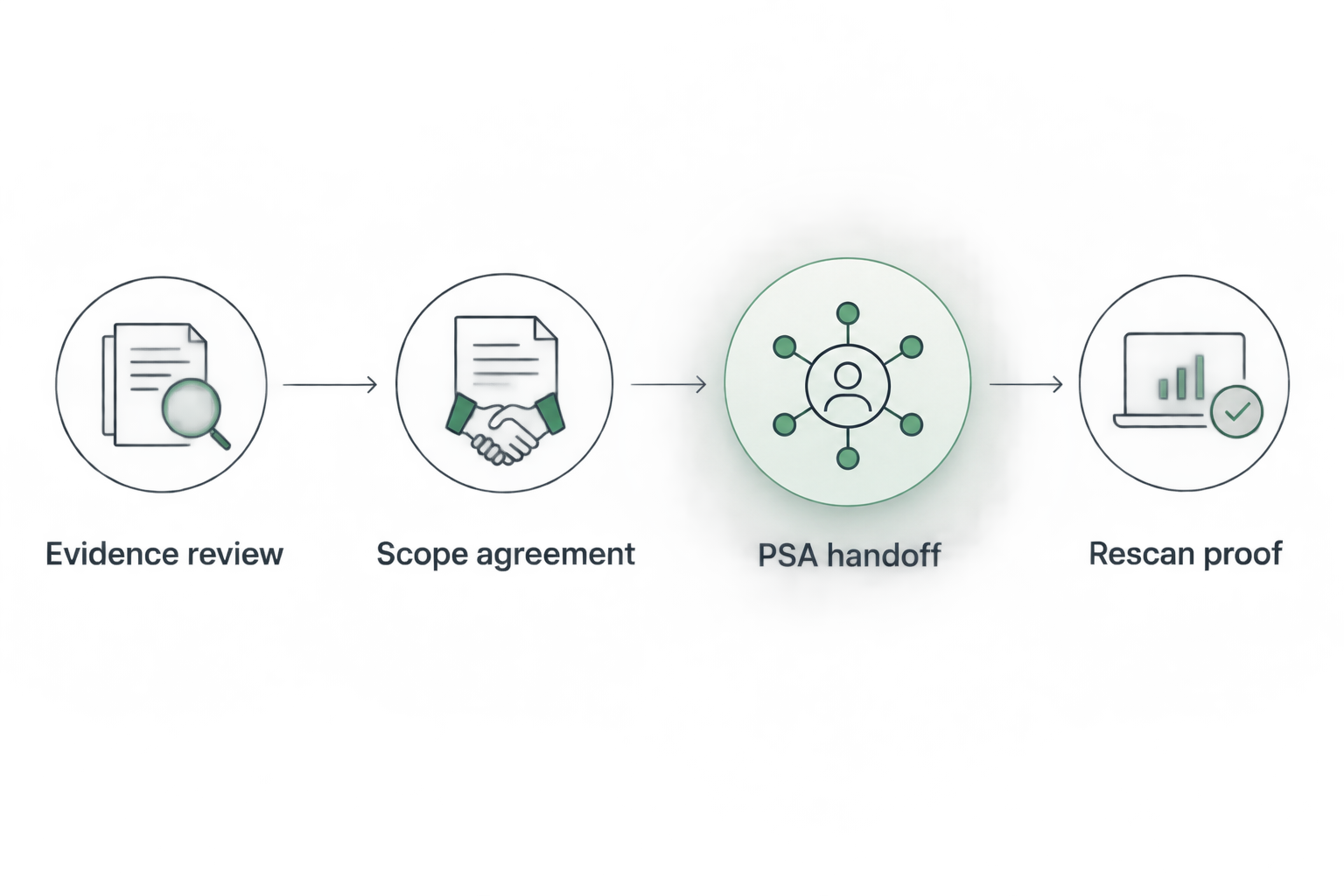
Use the same sequence in your 2026 delivery template:
- Evidence review
- Scope agreement
- PSA handoff
- Rescan proof
A later timestamp alone is insufficient proof. If the rescan could not read the source that supported the baseline, record the verification limitation instead of claiming resolution.
Update an existing ticket after a rescan
Use this variant when the affected object and agreed scope already have a work record. Keep 1 ticket per agreed scope as a starting rule; split unrelated work when ownership or approval differs.
- Locate the existing record using the account, affected object and original finding reference.
- Append the new run date, source, observation and coverage. Preserve the original baseline note.
- Compare the result with the acceptance criteria. State whether the condition changed, remained observed or could not be reassessed.
- Reconfirm scope before adding newly discovered work. A rescan does not authorize a larger project.
- Update the owner and next action when more investigation is required.
Expected result: the ticket retains a readable history of the decision and the evidence behind each update.
This variant also supports QBR preparation. The useful story is the agreed outcome and documented change, with unresolved questions still visible. It is not a combined score across unrelated platforms.
Troubleshooting
The expected ConnectWise send action is missing
Use manual transfer of reviewed ticket-ready text. The October 15, 2026 product reference identifies native Send to ConnectWise as planned; do not build a procedure around an assumed button or automatic delivery confirmation.
The note implies a breach
Return to the underlying observation and rewrite the interpretation. A breach-data match does not establish a compromised user, and tenant-wide permission does not establish a malicious application. Escalate incident claims only through your evidence-review process.
The rescan looks clean because evidence was unreadable
Preserve the unreadable state and its coverage limitation. Check the relevant authorization, permissions or licensing before another review. An unread source cannot verify that the earlier condition is absent.
The ticket reached the wrong account
Stop work and verify the affected object against the original evidence. Follow your organization's access and incident-handling procedures if information crossed account boundaries. Correct the record mapping before continuing the handoff.
The technician cannot tell what completion means
Replace vague instructions such as “fix security” with an agreed outcome and verification requirement. Identify whether the task is investigation, recommendation, authorized change or verification. Each requires different completion evidence.
Customize your workflow
For a 2026 rollout, standardize the note structure before adding routing rules. SCOUTz cybersecurity prospect intelligence supplies conversation evidence; your MSP must still determine account ownership, approvals, delivery scope and acceptable proof.
Extend the workflow with the guide to pinned baselines and rescan proof. Make the same source and coverage details visible in proposal handoffs, technician notes and QBR summaries.
Join Open Beta is the primary next step for MSPs evaluating the evidence-to-handoff workflow. Keep your existing PSA responsible for delivery records and confirm current product capabilities before designing automation around them.
FAQ
Does the SCOUTz ticket ready PSA export workflow send tickets automatically?
This workflow uses manual transfer of reviewed ticket-ready text. The client-supplied October 15, 2026 product reference identifies native Send to ConnectWise as planned.
What belongs in a ticket-ready security finding?
Include the affected object, check, source, run date, observation, evidence state, coverage, owner and next action. Preserve unknowns and define the evidence required for completion.
Can a public-domain review establish Microsoft 365 security settings?
A public-domain review cannot establish internal Microsoft 365 controls such as Conditional Access coverage or tenant sharing configuration. Those questions require appropriately authorized internal evidence.
Should every finding become a remediation ticket?
Create work records for agreed decisions and scope rather than automatically treating every finding as authorized remediation. Investigation, a proposal, a process change or no action can be the appropriate next choice.
How do I verify that a finding was resolved?
Compare a rescan against the pinned baseline using the same affected object and relevant check. Confirm comparable coverage and record any remaining unknowns before claiming a verified change.
Does read-only Microsoft 365 evidence include customer messages or files?
Read-only Microsoft 365 evidence covers configuration and metadata, never mail, files, chats, documents or prompts. Preserve permission and license limitations in the handoff.
One last thing
A completed ticket and a verified security change are different claims. A technician can complete an investigation while the underlying condition remains unchanged. Put the acceptance criterion in the first note so the final note answers the decision you actually agreed to make.
SCOUTz prepares the conversation. The relationship and the sale stay yours.