
Instead of manually turning Microsoft 365 findings into disconnected tickets, use a Microsoft 365 Review to Guided Remediation workflow that preserves consent, evidence, ownership and verification. Keep each dated observation attached to an approved action, then rescan against the pinned baseline before describing the outcome.
- SCOUTz supports Microsoft 365 review guided remediation preparation; the MSP approves scope and owns the customer relationship.
- Microsoft 365 Review and Guided Remediation carry Open Beta status in the October 15, 2026 client reference.
- Customer-authorized reviews read configuration and metadata, never mailbox, file, chat or document content.
- A completed task needs dated verification against its baseline before it becomes proof of a changed condition.
Why this matters
SCOUTz cybersecurity prospect intelligence is best for MSPs preparing evidence-led prospect conversations. The platform prepares the conversation; the relationship and sale stay with the MSP.
A review establishes what a source showed when a check ran. Guided remediation preparation turns that observation into a proposed outcome, an accountable owner and a verification plan. Neither step establishes compromise or permission to change the tenant.
Before presenting an observation, validate the security assessment finding before a call. A technically correct finding still needs context: the affected object, coverage limits, intended configuration and the decision the buyer actually controls.
This 2026 workflow follows Evidence · Insight · Proof: what ran, why the condition matters to this account, and what a later review shows changed. It describes an operator handoff, not an automatic configuration-change integration.
Before you start
- Obtain customer authorization for the Microsoft 365 review. Confirm the tenant, approving contact, permitted scope and person responsible for access. Keep public-domain observations separate from consented tenant evidence.
- Prepare a place to retain the baseline, source references, run dates, coverage limitations and approved work. Your existing delivery process needs an owner for implementation and a separate verification responsibility.
- Resolve the permission and licensing boundary before interpreting results. Permission limited, License limited and Unreadable evidence do not establish an absent control. Preserve declared non-reads under NOT ASSESSED THIS SCAN.
The SCOUTz product reference supplied October 15, 2026 labels Microsoft 365 Review and Guided Remediation Open Beta. The review is read-only, requires no agent or installation, and makes no automatic configuration changes. Microsoft 365 evidence covers configuration and metadata, never mail, files, chats, documents or prompts.
Use the consent and access instructions presented in the beta experience. This guide does not assume a particular button sequence or a native ticket-system connection.
Consent and scope
- Identify the decision the customer wants to make. Write a specific question, such as whether an application's permissions still match its approved business purpose.
- Confirm which tenant and objects the customer has authorized you to review. Record the approving contact and the boundary of that authorization before collecting internal evidence.
- Separate observation from implementation authority. Obtain explicit approval for any later configuration change through the customer's change process.
- Assign the technical reviewer and customer decision-maker. Record who can explain the evidence, approve work and accept an intentional exception.
Expected result: You have an authorized review boundary and named decision-makers. Review permission has not silently become change permission.
Public Domain Review and Microsoft 365 Review answer different questions. Select the evidence route that matches the decision rather than treating a public result as a substitute for tenant access.
| Evidence route | Best for | Useful evidence | Limit |
|---|---|---|---|
| Public Domain Review | Public domain and email-security preparation | Dated public-domain observations | Cannot establish Conditional Access coverage, application permissions, license assignments, Intune device state or tenant sharing configuration |
| Customer-authorized Microsoft 365 Review | Internal configuration questions within approved coverage | Read-only configuration and metadata evidence | Permission, licensing and unreadable sources limit conclusions; content is outside the review |
The public route supports preparation without establishing internal controls. The authorized route supports tenant-specific questions but requires consent and readable evidence. Neither route alone proves that a security incident occurred.
Dated baseline
- Retain the review run date and source alongside each relevant observation. Keep the check identity and affected object attached rather than copying only a headline into your notes.
- Separate the observed condition from the proposed implication. Describe the configuration first, then explain the business question it raises.
- Preserve the evidence state: Verified, Observed, Inferred, Possible, Unknown or Unreadable. Treat these as distinct meanings, not positions on a severity ladder.
- Record coverage separately: Assessed, Partial, Not assessed, Permission limited or License limited. Carry non-reads into the handoff.
- Pin the baseline you intend to compare after approved work. Retain enough context to distinguish a configuration change from a changed permission boundary or different affected object.
Expected result: Another practitioner can trace the proposed action back to a dated source and see what remains unknown.
For a 2026 baseline, retain the actual run date rather than replacing it with the date you prepared the proposal. Report freshness and evidence freshness are different facts.
Consider an observed tenant-wide application permission. The condition supports a review of business purpose, ownership and intended access. It does not establish that the application is malicious, that data was accessed, or that removing the permission is safe.
Keep the account note in this order: observed condition, source and date, possible consequence, evidence boundary, owner and next choice. That preserves the reasoning when sales hands the account to delivery.
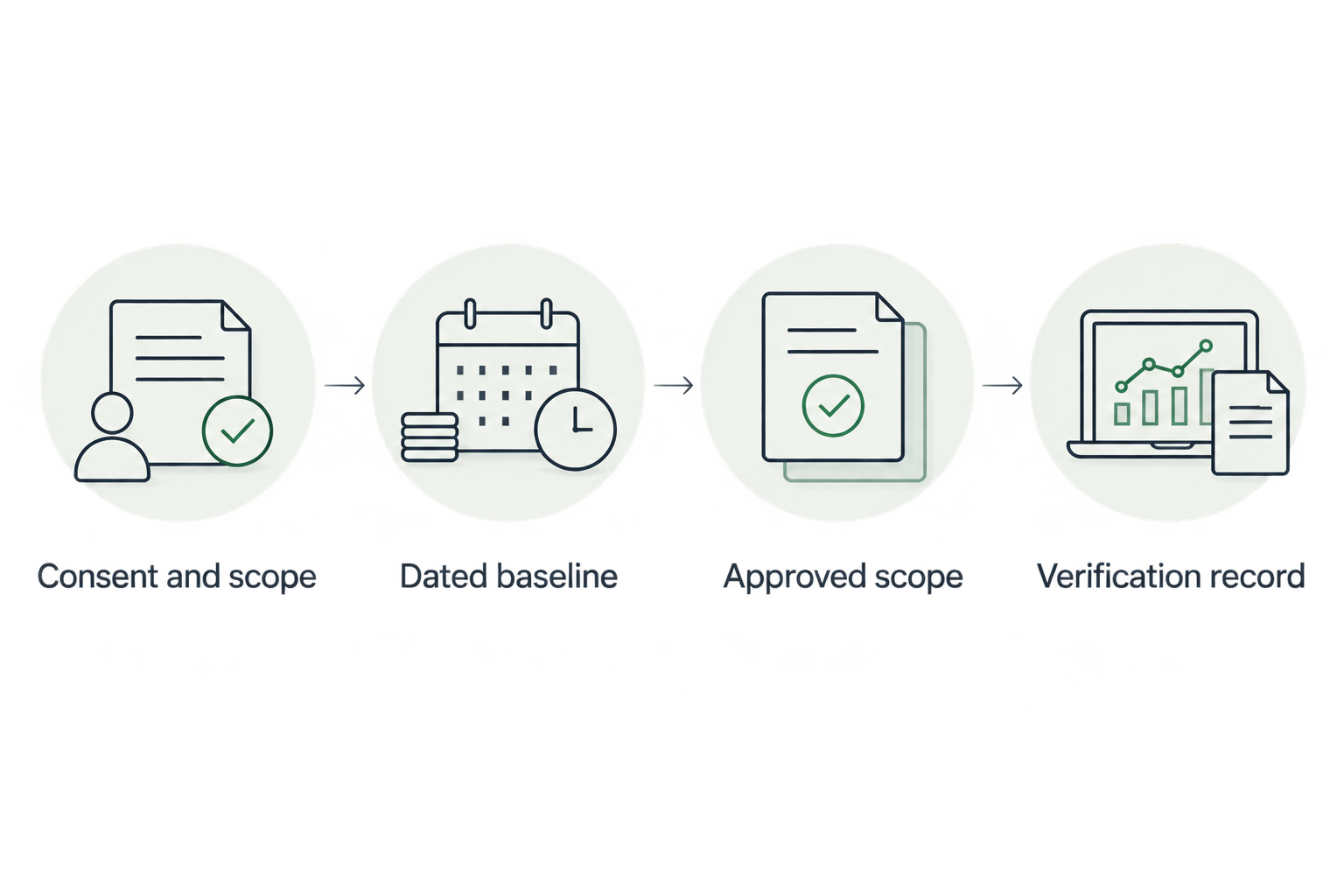
The workflow has four configuration units: Consent and scope, Dated baseline, Approved scope and Verification record. Keep the evidence reference attached as work moves between them.
Approved scope
- Find the decision. Ask the customer to confirm the intended outcome and the person authorized to accept it.
- Bring the evidence. Present the dated condition, affected object and coverage boundary. Keep a possible consequence separate from an observed event.
- Build the scope. Specify the action, owner, approval requirement, dependencies and rollback responsibility. The MSP chooses the product, service, process, project or no-change outcome.
- Earn the next commitment. Obtain agreement to the next bounded action, such as an application-owner review, an implementation proposal or a documented exception.
- Prepare the delivery handoff. Carry ticket-ready text into the customer's approved process without implying that a native sending integration exists.
Expected result: The buyer has agreed to an explicit next action. A finding has become a scoped decision rather than an unsupported instruction to fix something.
The SCOUTz Evidence-to-Agreement Framework organizes this conversation. It is an original conversation framework, not a validated sales intervention or a promise of improved close rates.
Use 3 handoff decisions: approve the proposed work, request further validation, or record an intentional no-change decision. Each decision needs an owner and a reason. Additional investigation is a valid outcome when the evidence cannot support implementation.
Illustrative conversation and follow-up
The following dialogue is illustrative, not a customer exchange or product result.
MSP: The review observed this application's tenant-wide permission on the attached run date. That shows the permission exists; it does not establish misuse. Who owns the application and approves its access?
Buyer: The application supports an important process. We cannot risk breaking it.
MSP: The proposed next step is an owner review of required access. Any permission change would need separate approval and a rollback plan. Would you approve that review first?
A suitable follow-up keeps the commitment narrow: Following our discussion, please confirm the application owner and intended business use. The attached observation retains its source and run date. The proposed scope is access validation; configuration changes require separate approval.
This earns a concrete next action without turning uncertainty into pressure.
Verification record
- Preserve the approved target outcome before implementation. Define what evidence would demonstrate that the intended condition changed.
- Have the authorized owner perform the approved work through the customer's change process. Keep implementation records separate from read-only review evidence.
- Run a fresh authorized review after the work. Compare the relevant check and affected object against the pinned baseline.
- Inspect coverage before claiming improvement. A missing finding with reduced access does not establish resolution.
- Record the result, reviewer and remaining unknowns. Obtain human sign-off on the claim before using it in a client report or sales conversation.
Expected result: The handoff distinguishes implemented work, observed change and incomplete verification.
Use 2 dated runs for the before-and-after comparison: the pinned baseline and the follow-up review. This is a workflow requirement, not a claim about scan frequency or completion time.
Define 4 acceptance fields for each scoped item: affected object, intended condition, verification evidence and accepting owner. Keep these fields separate from vendor selection so the customer can evaluate the outcome on its own terms.
For your 2026 verification record, report a narrower conclusion when appropriate: the follow-up review observed the approved configuration within assessed coverage. Do not expand that into a claim that the tenant is secure or an incident is impossible.
Repeat the workflow when evidence changes
Use the same process when a later review observes a changed condition. A recurring client review needs continuity with the earlier baseline, approvals and business rationale.
- Compare the new observation with the previous dated record. Confirm that the check, affected object and readable scope are comparable.
- Revisit the earlier decision with its owner. A changed business requirement or approved exception belongs in the discussion.
- Obtain fresh agreement before proposing additional work. Reuse prior context without assuming that previous authorization covers every future change.
- Verify any newly approved implementation against its own pinned baseline.
Best for: Existing-client reviews where the MSP needs to explain what changed and agree on the next action. The benefit is continuity; the constraint is that stale permissions or incomplete coverage can prevent a valid comparison.
Keep each platform's evidence separate. Do not collapse public-domain, tenant and other platform observations into one score to suggest certainty the underlying sources do not provide.
Troubleshooting
A source is unreadable
Preserve Unreadable as the evidence state and identify the applicable coverage limitation. Ask the authorized access owner to review the boundary. Do not label the source clean or recommend broader access without explaining why it is needed.
A finding disappears after a review
Compare permissions, coverage, check identity and affected object before claiming resolution. If the follow-up did not read the same evidence, record incomplete verification and arrange an authorized comparable review.
The customer disputes the recommendation
Return to the intended condition and business purpose. Separate the observed permission or setting from your proposed action, then offer validation, a revised scope or a documented no-change decision.
The delivery team receives only a finding title
Return the handoff for its source, run date, affected object and evidence boundary. Add approval and verification criteria before implementation so the technician does not have to reconstruct the sales conversation.
A ticket is mistaken for proof
Keep the implementation record, but request follow-up evidence. A closed ticket establishes workflow status; a comparable dated review supports the claim that the assessed condition changed.
Customize your workflow
For a prospect, stop at the next agreed commitment until implementation is authorized. For an existing client, connect verified changes and remaining decisions to the service review. Use the guide to build a QBR deck for a security services client when expanding the evidence into an account discussion.
Join Open Beta is the primary next step for MSPs evaluating SCOUTz cybersecurity prospect intelligence. Applications receive human MSP-fit review. Keep beta evaluation separate from promises about sales results or remediation outcomes.
FAQ
What is a Microsoft 365 review guided remediation workflow?
It is an authorized review-to-action process that carries dated Microsoft 365 evidence into approved scope and follow-up verification. The MSP retains responsibility for interpretation, implementation choices and the customer relationship.
Does SCOUTz automatically change Microsoft 365 settings?
No. The review is read-only and makes no automatic configuration changes. Implementation requires an authorized owner and the customer's change process.
Can a public domain review replace Microsoft 365 consent?
No. Public-domain evidence cannot establish internal tenant conditions such as Conditional Access coverage or application permissions. Internal review requires customer authorization.
Does the review read customer emails or files?
No. Microsoft 365 evidence is configuration and metadata only. Mail, files, chats, documents and prompts are outside that evidence boundary.
Does a tenant-wide application permission mean compromise?
No. A tenant-wide permission establishes an access condition, not malicious activity. Validate the application's owner, business purpose and intended access before proposing changes.
How do we prove that remediation changed a finding?
Compare a fresh authorized review with the pinned baseline for the same check and affected object. Confirm comparable coverage and retain the run dates, result and remaining unknowns.
Are Microsoft 365 Review and Guided Remediation generally available in 2026?
The client-supplied October 15, 2026 product reference labels both Open Beta. Use that status when planning an evaluation rather than treating menu wording as a shipping commitment.
One last thing
The most useful verification result can be an honest unknown. If access changed between reviews, preserving that limit gives the customer a defensible next decision. Calling the finding resolved would erase the very evidence boundary the workflow was designed to protect.