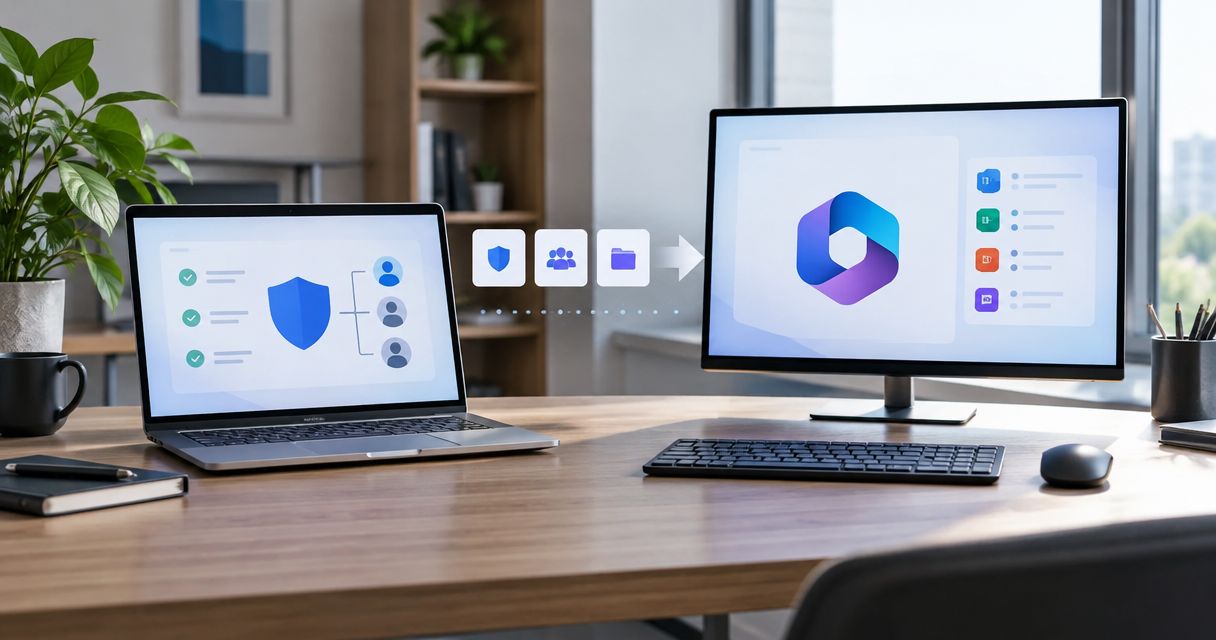
Instead of rebuilding a quarterly business review from scattered scan reports, use a domain review to QBR workflow that carries dated evidence into an agenda, an owner-approved action, and a baseline rescan. SCOUTz supplies cybersecurity prospect intelligence for MSPs; your team validates the evidence, agrees the scope, and verifies what changed.
- SCOUTz supports a domain review to QBR workflow with dated evidence; MSP judgment determines the agenda and next action.
- Keep public-domain observations separate from customer-authorized Microsoft 365 configuration evidence.
- Build each QBR item around the condition, evidence date, boundary, owner, and requested decision.
- Verify completed work against a pinned baseline; unread sources remain unknown.
Why this matters
A quarterly business review, or QBR, should connect technical work to decisions. A finding list alone leaves the client to decide what matters, who owns it, and whether anything has changed.
SCOUTz cybersecurity prospect intelligence is best for MSPs preparing evidence-led client conversations. Its boundary matters: dated observations support discovery and review, but they do not establish buying intent, prove compromise, or replace your technical judgment.
For your 2026 QBR process, use evidence → insight → proof as the organizing rule. Evidence records what ran. Insight explains why the condition deserves discussion. Proof compares a later observation with the pinned baseline.
The workflow below uses a working document and your existing relationship and delivery systems. It does not depend on a native integration, an automatic deck builder, or automatic configuration changes.
Before you start
- Have access to your review workspace, the relevant domain results, the previous QBR commitments, and the client account record. Confirm which domains belong in scope and who can authorize follow-up work.
- Prepare a shared agenda document and a baseline evidence record. The field names below are suggested document fields, not product interface labels or instructions for an undocumented connector.
- Separate public-domain review from customer-authorized internal review before collecting evidence. A public result cannot establish Conditional Access coverage, application permissions, license assignments, Intune device state, or tenant sharing configuration.
The client-supplied product reference dated October 15, 2026 lists Domain Review as available and Microsoft 365 Review and the report experience as Open Beta. Treat beta participation and reporting access as setup requirements when your workflow uses them.
Choose the evidence source by the question you need to answer:
| Review option | Best for | Useful contribution | Limit |
|---|---|---|---|
| Public Domain Review | Externally observable domain and email-security questions | Dated public observations for a bounded discussion | Cannot establish internal tenant controls or a complete security posture |
| Customer-authorized Microsoft 365 Review | Consented tenant configuration questions | Read-only configuration and metadata evidence | Requires authorization; permission and license limits can leave sources unassessed |
Both support a review agenda. Neither establishes that a breach occurred or that the client needs a particular vendor.
Baseline record
- Create an account-level record for the QBR. Add the client, domain, review scope, evidence source, run date, reviewer, and intended meeting date. Keep the original result available alongside your summary.
- Pin the baseline you will compare against. For a first review, use the initial dated observation. For an existing client, retain the previous baseline and record why you selected the new comparison point.
- Add separate fields for the observed condition, affected object, evidence state, coverage, unknowns, owner, recommended outcome, and verification method. Keeping these separate prevents a proposed service from becoming part of the factual finding.
- Carry forward previous commitments. Record the agreed outcome and the evidence needed to close each item. A completed delivery task and a verified configuration outcome belong in separate fields.
For a 2026 review, distinguish the baseline run date from the date you prepared the agenda. A newly prepared document can still contain old evidence.
Preserve the meaning of each evidence state: Verified, Observed, Inferred, Possible, Unknown, and Unreadable are distinct descriptions, not steps on a scoring ladder. Coverage is separate: Assessed, Partial, Not assessed, Permission limited, or License limited.
Expected result: another technician can identify the source, date, affected object, limits, and comparison point without asking the salesperson to reconstruct the finding.
Evidence selection
- Read each candidate finding against its source. Confirm that the affected domain or object belongs to the client and that the check result supports the sentence you plan to present.
- Select findings that require a decision, ownership clarification, or verification of prior work. Put reference-only observations in supporting material rather than filling the agenda with every result.
- Write a bounded implication. Describe what the condition means for the relevant control or process. Keep any inference visibly separate from what was observed.
- Assign an owner to validate the operational context. Record what remains unknown and the next evidence needed. Preserve declared non-reads under NOT ASSESSED THIS SCAN.
A published DMARC policy requesting monitoring only provides a useful example. The observation concerns the published policy. The discussion concerns whether monitoring remains intended, who reviews reports, and what evidence is needed before changing enforcement.
That observation does not establish compromise, identify every legitimate sender, or prove that a change is appropriate today. The owner must supply the missing operational context.
Keep a finding off the decision agenda when its source cannot support the proposed claim. Retain the uncertainty in the record and assign validation work instead.
Expected result: every selected item has a defensible observation, a bounded implication, a named owner, and a decision the client can actually make.
QBR agenda
- Start each agenda item with the decision. Use a concrete outcome such as confirming intended email policy, authorizing additional assessment, approving scoped work, or accepting a documented condition.
- Attach the evidence summary. Include the check, run date, affected object, coverage, and unknowns. Keep technical detail accessible without requiring the business owner to read the full operator record.
- Add the consequence and choices. Explain the relevant control or process implication, then distinguish investigation, implementation, verification, and a decision to leave the condition unchanged.
- Record the next commitment. Capture the decision-maker, responsible owner, agreed scope, due date, and evidence required at the next review. Put approved delivery work into your existing delivery process.
Use this suggested 30-minute agenda for a focused 2026 review:
| Agenda segment | Suggested time | Required output |
|---|---|---|
| Previous commitments and verified changes | 5 minutes | Accepted proof or a clearly stated evidence gap |
| Current evidence and remaining unknowns | 10 minutes | Shared understanding of condition and limits |
| Scope choices and next commitments | 15 minutes | Decision, owner, date, and verification requirement |
These are planning allocations, not measured meeting benchmarks. Adjust them to the decisions your client needs to make.
Expected result: the meeting document asks for decisions rather than presenting an undifferentiated security score. Keep platform-specific evidence separate instead of combining platforms into one score.
From evidence to agreement
The SCOUTz Evidence-to-Agreement Framework gives the conversation a practical sequence: Find the decision, Bring the evidence, Build the scope, Earn the next commitment. It is a conversation framework, not a validated close-rate intervention.
For the DMARC example, find the decision by confirming whether monitoring remains intended. Bring the dated policy observation and its limits. Build the scope around sender validation, reporting ownership, and any authorized policy work. Earn the next commitment by agreeing who supplies the missing context and when the decision returns for review.
Avoid collapsing those choices into a predetermined project. Investigation can reveal that the existing setting remains appropriate.
Verification record
- Define the expected outcome before work starts. State the condition that should change, the object involved, and the check that will supply verification evidence. Do not use task completion as the sole acceptance criterion.
- After authorized work, obtain a new observation and preserve its run date. Keep the original baseline intact rather than overwriting it with the newest result.
- Compare equivalent scope and evidence. Check whether the same domain, object, source, and coverage are represented. Explain differences in permissions or collection coverage before describing a change as improvement.
- Record the result as verified change, unchanged observation, or unresolved verification. Attach the supporting evidence and carry any remaining uncertainty into the next agenda.
Use the same sequence throughout your 2026 reporting cycle:
Baseline record, Evidence selection, QBR agenda, Verification record.
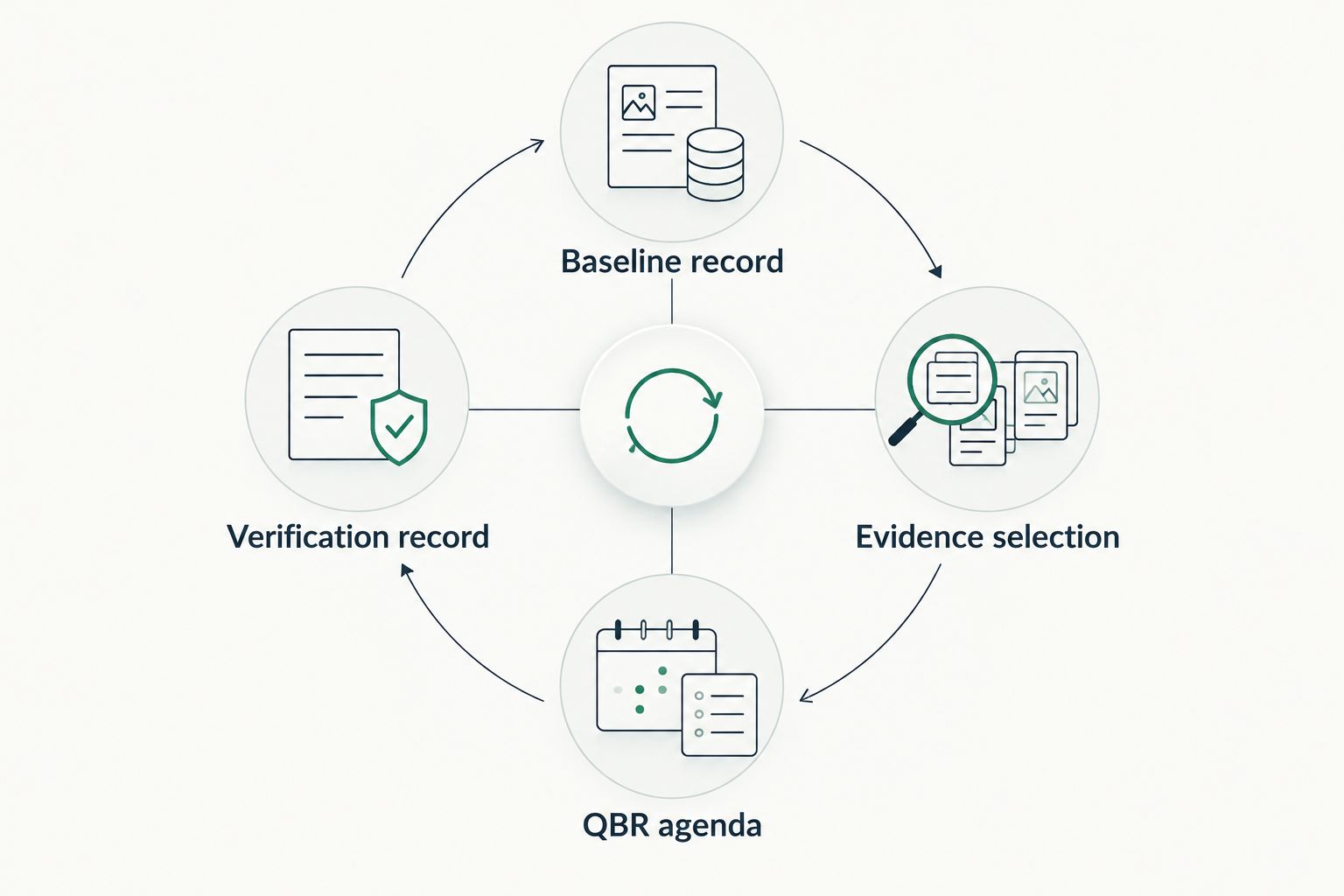
A changed published record proves that the observed record changed. It does not establish every downstream operational outcome. Match the acceptance claim to the evidence you collected.
Expected result: each closed item has a baseline, a later observation, and a supported explanation of what changed. Items without adequate verification remain open for evidence, even when implementation work is complete.
Update the agenda after an authorized tenant review
A second workflow applies when the client authorizes Microsoft 365 evidence collection after the public-domain review. Keep the original domain baseline and add a separate tenant evidence record.
The authorized review is read-only, requires no agent or install, and makes no automatic configuration changes. Its evidence covers configuration and metadata, never mail, files, chats, documents, or prompts.
- Record the authorization and scope in your account process.
- Add tenant observations with their own checks, dates, evidence states, and coverage limits.
- Revisit agenda items whose unanswered questions now have relevant internal evidence.
- Retain remaining unknowns and request a new decision when the evidence changes the proposed scope.
Do not infer internal controls from the earlier public result. A public email-security observation and a tenant permission finding answer different questions.
This variant expands the evidence available for a 2026 QBR without turning the original domain review into an internal assessment retrospectively. The client retains the choice to authorize further review, approve work, defer, or take no action.
Troubleshooting
The finding disappeared before the meeting
Compare the earlier observation with a fresh result. Record the dates and scope, then present the change rather than repeating the old condition as current. A disappearance alone does not identify who changed it or why.
The report cannot read a source
Keep the source unread and show the coverage limitation. Identify whether authorization, permissions, licensing, or another collection issue needs investigation. Do not interpret unread evidence as an absent control or a clean result.
The score changed but the reason is unclear
Compare the underlying observations and assessed scope before making a security claim. If the evidence does not explain the difference, record the reason as unknown. Keep the QBR decision tied to a supported condition rather than the score movement alone.
The client says the condition is intentional
Record the stated rationale and identify the accountable owner. Compare that intent with the observed configuration and agree any verification needed. An intentional setting still deserves accurate documentation; it does not automatically require remediation.
The ticket is closed but proof is missing
Leave implementation and verification as separate statuses. Request the defined rescan or other acceptance evidence, then update the QBR record. Closing a task records delivery activity, while acceptance requires evidence matched to the agreed outcome.
Customize your workflow
Use the same evidence structure for renewals, proposal follow-up, and ongoing client reviews. Change the decision being requested, not the standard of proof. For a proposal, separate assessment, implementation, and verification so the buyer understands what each scope delivers.
SCOUTz prepares the conversation. The relationship and the sale stay yours. Your CRM owns the relationship record; PSA, RMM, and security platforms run delivery. Copying a supported summary into those systems does not require claiming a native connector exists.
For MSPs evaluating this workflow, make Join Open Beta the primary next step. You can also book a demo to discuss the review and reporting workflow before adopting it.
FAQ
What is a domain review to QBR workflow?
A domain review to QBR workflow turns dated domain observations into client decisions and later verification. Preserve the source and limits, agree an owner and outcome, then compare new evidence against a pinned baseline.
Can a public-domain review assess Microsoft 365 security controls?
A public-domain review cannot establish internal Microsoft 365 control coverage. Conditional Access, application permissions, license assignments, Intune device state, and tenant sharing configuration require appropriate authorized evidence.
Does SCOUTz automatically change client configurations?
SCOUTz reviews are read-only and make no automatic configuration changes. The MSP and client decide what work to authorize and how to deliver it.
How should an MSP handle an old finding in a QBR?
Keep the original date attached and obtain a new observation before describing the condition as current. Compare equivalent scope and explain any uncertainty instead of treating a newly prepared report as fresh evidence.
What belongs in a security QBR agenda item?
Include the requested decision, observed condition, check and run date, affected object, limits, owner, and verification requirement. Separate the recommended outcome from any vendor or service choice.
Is a completed remediation ticket enough proof for a QBR?
A completed ticket alone does not prove the agreed technical outcome. Use a rescan or other defined acceptance evidence and compare it with the pinned baseline.
Should every domain finding become a proposal?
A domain finding should become a decision before it becomes a proposal. The appropriate next step can be validation, authorized work, documented acceptance, deferral, or no change.
One last thing
Keep the acceptance evidence in the agenda before anyone approves the work. Defining proof early gives the technician a clear target and the client a clear basis for accepting the outcome. It also exposes scope gaps before they become disputed completion claims.