
Wealth management firms’ Microsoft 365 security assessment is a dated review of tenant configuration and access with the aim of defining justified security work for the firm. For MSPs, this 2026 guide separates public-domain observations from authorized tenant evidence, then turns findings into a scoped proposal and an agreed next action.
- A Microsoft 365 security assessment for wealth management firms needs authorized tenant evidence, explicit coverage limits, and dated findings.
- SCOUTz suits MSPs preparing evidence-led Microsoft 365 assessment conversations; the relationship and sale remain the MSP’s responsibility.
- Public email-security observations cannot establish Conditional Access coverage, application permissions, or tenant sharing settings.
- Agree on the decision, document the evidence, scope the work, and verify changes against a pinned baseline.
Why Microsoft 365 security assessment matters for wealth management firms
A wealth management review needs to distinguish adviser access, external collaboration, and administrative control. Start by establishing which workflows the prospect actually uses: client document exchange, adviser onboarding, outsourced operations, or delegated application access. Each creates a different assessment question.
A technical condition becomes proposal material only after the firm confirms its relevance and ownership. Use the process for validating assessment findings before a call before presenting any condition as current.
For a 2026 engagement, ask the firm’s compliance lead to identify applicable obligations and evidence requirements. A configuration review supplies technical evidence. Legal applicability, policy adequacy, and compliance conclusions require their own scope and qualified review.
How to assess Microsoft 365 and build an agreed scope
1. Define the business decision and authorization
Begin manually with a short scoping document. Ask the wealth management firm to name the decision the assessment should support: approving access cleanup, reviewing adviser onboarding, evaluating external collaboration, or selecting an MSP engagement.
Record tenant ownership, domains, authorized contacts, permitted evidence sources, and the review window. Distinguish passive public observation from active probing; obtain appropriate authorization for the activities you propose. Do not treat a prospect’s public website as permission to inspect internal systems.
Use 2 review passes: first confirm scope and access, then interpret collected evidence. This is a proposed workflow, not a completion-time claim. Keep the 2026 assessment date and authorization record together so later readers can identify the original boundary.
- Name the business decision and the person authorized to make it.
- List included tenants, domains, and excluded systems.
- Document permitted collection methods and access revocation.
- Identify the firm’s technical and compliance reviewers.
- Agree on report recipients and evidence handling.
2. Separate public observations from tenant evidence
Start with manual DNS and email-security observation where authorized and appropriate. SPF, DKIM, and DMARC observations describe published email-authentication configuration. A DMARC policy requesting monitoring does not establish account compromise or the firm’s intended enforcement plan.
Keep a separate collection track for customer-authorized Microsoft 365 evidence. Public-domain observations cannot establish Conditional Access coverage, application permissions, license assignments, device state, or tenant sharing configuration.
Organize the tenant review around Identity, Email, Sharing, and Applications. Record the source and collection time for every observation. Describe the permission and license boundaries before drawing conclusions. An unread setting belongs under NOT ASSESSED THIS SCAN, even when adjacent settings were readable.
- Save the queried domain, record, and observation time.
- Separate public DNS evidence from authorized tenant exports.
- Record tenant identifiers without exposing unnecessary personal information.
- Mark permission-limited and license-limited coverage explicitly.
- Keep unread evidence unknown rather than labeling it clean.
3. Review identity, sharing, and application access
Use authorized administrative views and exports first. Inspect authentication configuration, privileged role assignments, guest access, sharing settings, and application permissions within the agreed scope. Record where evidence is incomplete; successful collection from one source says nothing about unread sources.
For a product-assisted evidence workflow, evaluate SCOUTz Microsoft 365 Review. The client’s October 15, 2026 reference places this capability in Open Beta and describes read-only configuration and metadata collection, without agents, installation, or automatic configuration changes. Mail, files, chats, documents, and prompts remain outside that evidence boundary.
The benefit is dated evidence for assessment conversations. The limitation is equally important: configuration and metadata do not establish what happened inside unread content or systems.
- Distinguish MFA registration from enforcement evidence.
- Review privileged access with a named technical owner.
- Identify guest accounts requiring business-owner confirmation.
- Separate application permissions from evidence of malicious activity.
- Record external sharing configuration without claiming a data leak.
- Document license and permission limits beside affected checks.
4. Turn observations into bounded findings
Create a finding record manually before writing the executive summary. Keep the condition, affected object, evidence source, run date, unknowns, possible consequence, owner, and recommended outcome separate. Attach the check name so another practitioner can examine the same claim.
For example, an illustrative October 2026 record might state that a published DMARC policy requests monitoring. The possible consequence concerns the domain’s requested enforcement posture. The next question is whether monitoring remains intentional and who reviews authentication reports. That observation says nothing about a confirmed incident.
Keep evidence states distinct: Verified, Observed, Inferred, Possible, Unknown, and Unreadable describe different claims. Coverage labels such as Assessed or Partial describe collection scope, not severity.
- State the observed condition before explaining its significance.
- Attach the source, check name, and run date.
- Identify unknowns that block a stronger conclusion.
- Ask the business owner to confirm the affected workflow.
- Assign 1 named owner to each proposed next action.
5. Compare assessment options by their jobs
Build a small comparison before selecting tools. A manual public review, an authorized tenant review, and an evidence-reporting platform serve different purposes. Compare the evidence each produces and the work your team must still perform.
For wealth management prospects, ask whether the deliverable supports a decision about adviser access, client collaboration, or application governance. A broad report without an agreed decision leaves the proposal scope undefined. A narrowly scoped review can be sufficient when the evidence answers the actual question.
The following options are assessment approaches, not a ranking of security quality. Product status reflects the client’s dated 2026 reference; confirm current scope before committing it to a prospect.
| Option | Best for | Strength | Key limitation |
|---|---|---|---|
| Manual public-domain review | Initial domain and email-security context | Documents externally observable configuration | Cannot establish internal tenant controls |
| Manual authorized Microsoft 365 review | Practitioner-led examination of a defined tenant scope | Lets the reviewer inspect selected configuration directly | Requires manual evidence organization and interpretation |
| SCOUTz Microsoft 365 Review | MSP prospect preparation and evidence-led reporting | Provides dated configuration and metadata evidence | Open Beta; unread sources and collection boundaries remain material |
| Separately scoped compliance review | Mapping evidence to the firm’s identified obligations | Adds an explicit requirements-and-evidence workstream | Requires defined applicability and qualified interpretation |
- Choose the approach that answers the agreed business decision.
- Request sample evidence fields and coverage disclosures.
- Confirm permissions and licensing before collection.
- Separate assessment deliverables from remediation responsibilities.
- Define acceptance criteria before presenting the proposal.
6. Move from evidence to an agreed proposal
Use the SCOUTz Evidence-to-Agreement Framework: Find the decision, Bring the evidence, Build the scope, Earn the next commitment. This is a conversation framework, not a proven close-rate intervention. Use four headings in meeting notes: Decision, Evidence, Scope, Commitment.
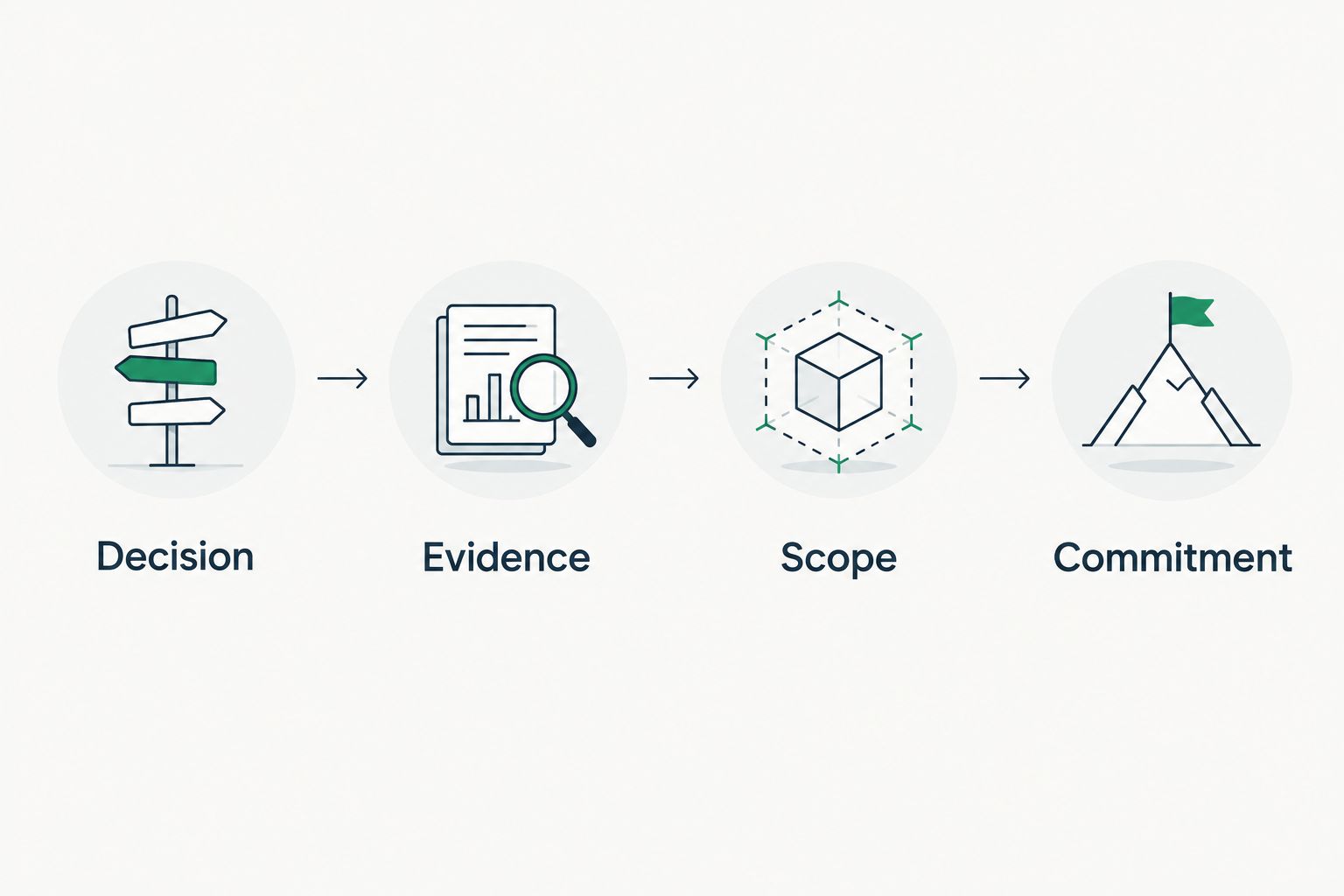
Start the meeting with the decision, then show the dated observation and its limits. Present choices that preserve the buyer’s control: validate further, approve a bounded change, defer with an owner, or take no action with a recorded reason.
When comparing cloud security service providers, keep evidence collection, configuration changes, ongoing monitoring, and compliance interpretation as separate responsibilities. The firm needs to know who owns each task before agreeing to an engagement.
The following illustrative dialogue demonstrates structure, not a real customer exchange:
MSP: The review observed an external sharing setting. We have not established that information was disclosed. Which client-collaboration workflows require this setting?
Prospect: Our existing provider handles that.
MSP: Let’s identify that owner and ask them to confirm the intended configuration. Would you authorize a joint validation before deciding whether any work belongs in our proposal?
- Open with the firm’s named decision.
- Present the condition, source, date, and boundary together.
- Offer validation-only and remediation scopes separately.
- Identify dependencies on the incumbent provider.
- Record the buyer’s chosen next action and acceptance criteria.
7. Verify changes against a pinned baseline
Start with a manually saved baseline: the original check, affected object, configuration evidence, collection time, and coverage. After authorized work, repeat the relevant assessment and compare like-for-like evidence. A changed score alone does not explain which condition changed.
Prepare 3 evidence packets: the baseline, the agreed scope, and the verification result. These are recommended deliverables, not product performance figures. For ongoing reviews, preserve the original 2026 baseline alongside later observations rather than overwriting history.
A follow-up should state what was authorized, what was observed afterward, what remains unread, and who accepts the result. Record persistent limitations separately from unresolved work; permission-limited evidence cannot establish whether a control is absent.
- Pin the original finding and evidence source.
- Record approved changes and the responsible owner.
- Repeat the relevant check after the change.
- Compare affected objects and collection coverage.
- Document remaining unknowns and the next review trigger.
Common mistakes MSPs make with wealth management assessments
Treating an assessment as compliance certification
A Microsoft 365 configuration report cannot settle every obligation applicable to a wealth management firm. Ask the firm’s compliance reviewer to map the technical evidence to identified requirements. Keep unreviewed requirements outside the conclusion.
Calling collaboration settings a confirmed disclosure
External sharing configuration describes permitted behavior. It does not prove that client information left the firm. Confirm the business purpose, relevant objects, and any separately authorized activity evidence before making a stronger claim.
Proposing enforcement before understanding adviser workflows
An access change needs an implementation plan. Identify affected advisers, administrative dependencies, exceptions, and validation steps before proposing it. Keep any interruption or operational impact unknown until the technical review supports a specific statement.
Replacing a scope decision with a frightening forecast
A hypothetical breach-loss figure does not establish the value of the proposed work. Show the observed condition, the decision it informs, and the evidence that will demonstrate completion. Let the firm choose the next step.
Put the assessment into a prospect conversation
Join Open Beta is the primary next step for MSPs evaluating SCOUTz Microsoft 365 assessment workflows. Confirm current beta scope, permission requirements, and report boundaries before promising a deliverable to a wealth management prospect.
Use a demo to examine how the evidence supports your assessment process. Keep the relationship, interpretation, proposal, and sale with your MSP. No assessment establishes buying intent or guarantees an agreement.
FAQ
What should a Microsoft 365 security assessment for a wealth management firm include?
Include authorized reviews of identity, privileged access, sharing, application permissions, and relevant email-security configuration. Attach source, date, coverage, unknowns, and ownership to each finding, then define the decision the evidence supports.
Can an MSP assess Microsoft 365 security from a prospect’s domain alone?
A public-domain review cannot establish internal Microsoft 365 security configuration. Conditional Access coverage, tenant permissions, license assignments, and sharing settings require separately authorized evidence.
Does MFA registration prove that advisers must use MFA?
MFA registration does not prove MFA enforcement. Review the applicable enforcement configuration and coverage, and label any unread evidence explicitly.
Does external sharing mean the firm has leaked client information?
External sharing configuration does not establish a data leak. Describe the observed setting, confirm its intended business use, and obtain appropriate authorization for any further investigation.
Does SCOUTz read client email or documents during a Microsoft 365 Review?
SCOUTz Microsoft 365 evidence is configuration and metadata only. The stated boundary excludes mail, files, chats, documents, and prompts; collection is read-only and makes no automatic configuration changes.
Is a Microsoft 365 security assessment a compliance certification?
A Microsoft 365 security assessment is not a compliance certification. The firm must identify applicable obligations and arrange qualified interpretation of the evidence against those requirements.
What should an MSP send after the assessment meeting?
Send the agreed decision, dated evidence, scope boundaries, responsible owners, and the next authorized action. Include acceptance criteria and explain how a rescan will compare the result with the pinned baseline.
One last thing
Agree on what proof of completion will look like before proposing the work. If the firm cannot identify the evidence it will accept, the proposal still contains an unresolved decision. Define that evidence while the scope remains small enough to change.