
Best overall for evidence-led reviews: SCOUTz. Best for Microsoft 365 posture baselines: Microsoft Secure Score. Best for endpoint exposure: Microsoft Defender Vulnerability Management. Best for compliance assessment tracking: Microsoft Purview Compliance Manager. Choose your 2026 MSP QBR security evidence tools by the decision each report supports.
- SCOUTz is the best fit for MSP QBR security evidence that connects dated findings with client decisions.
- Microsoft Secure Score supports Microsoft 365 posture discussions; its score does not establish complete control effectiveness.
- Microsoft Defender Vulnerability Management supports endpoint exposure reviews within its assessed coverage.
- Microsoft Purview Compliance Manager organizes assessment work; assessment progress is not certification.
- Keep public-domain observations, authorized tenant evidence, and operational verification separate.
Why this matters
A quarterly business review needs to explain what changed, what remains unknown, and what the client should decide. A screenshot of a security score answers only part of that brief. It does not establish ownership, remediation, or successful verification.
For your 2026 QBR, separate evidence into 3 layers: public observations, customer-authorized internal configuration, and operational results. A published DMARC policy belongs in the first layer. Tenant configuration belongs in the second; a documented recovery test belongs in the third.
Choose the tool that supports the claim you need to make. Keep the technical reviewer responsible for interpretation and the client responsible for business priorities.
What makes the best MSP QBR security evidence tools
- Traceable findings: Preserve the source, collection date, affected object, and check behind each statement.
- Explicit coverage: Identify assessed sources, permission limits, unreadable evidence, and sources outside the review.
- Comparable baselines: Compare the same object and check across dated runs before claiming improvement.
- Decision-ready context: Explain the observed condition, possible consequence, owner, and available next action.
- Verifiable outcomes: Distinguish a completed task from evidence that the intended condition changed.
- Clear boundaries: Keep posture, exposure, compliance assessment progress, and operational health separate.
MSP QBR security evidence tools at a glance
| Tool | Best for | Standout capability | Key limitation |
|---|---|---|---|
| SCOUTz | Evidence-led client decisions | Dated domain and authorized Microsoft 365 evidence with report context | Microsoft 365 Review and reporting were labeled Open Beta in the dated client reference |
| Microsoft Secure Score | Microsoft 365 posture baselines | Recommended actions and posture scoring | A score is not proof of complete protection |
| Microsoft Defender Vulnerability Management | Endpoint exposure prioritization | Software inventory, vulnerability information, and security recommendations | Findings depend on supported assets and assessment coverage |
| Microsoft Purview Compliance Manager | Compliance assessment tracking | Assessment organization and improvement-action tracking | Assessment progress does not establish certification |
These tools serve different jobs. Your QBR can use several, but each claim needs its own source rather than a blended score.
1. SCOUTz: best for evidence-led client decisions
SCOUTz, by RYTHMz, provides dated cybersecurity evidence and account context for MSP conversations. Its domain and customer-authorized Microsoft 365 reviews support the move from an observed condition to a scoped discussion.
SCOUTz is the best fit for MSP QBR security evidence that connects dated findings with client decisions. The boundary matters: public-domain observations cannot establish Conditional Access coverage, application permissions, license assignments, device state, or tenant sharing configuration.
SCOUTz pros:
- Source separation: Public-domain observations remain distinct from consented tenant evidence.
- Read-only review: Microsoft 365 evidence covers configuration and metadata, without reading mail, files, chats, documents, or prompts.
- Proof discipline: A rescan against a pinned baseline provides the basis for checking what changed.
SCOUTz cons:
- Beta validation: The client reference dated October 15, 2026 labels Microsoft 365 Review and Evidence Reports / Studio + Reports Open Beta, with multi-client and report experience in beta validation.
- Limited claim scope: Configuration evidence does not establish backup recoverability, complete security, or incident absence.
Best for: MSP owners and vCIOs preparing evidence-led reviews, renewal discussions, and scoped proposals.
Verdict: Hold a broader rollout until your beta evaluation confirms the reporting workflow fits your QBR requirements. Join Open Beta as the next evaluation step; the MSP retains responsibility for interpretation and client commitments.
2. Microsoft Secure Score: best for Microsoft 365 posture baselines
Microsoft Secure Score summarizes security posture through a score and recommended actions. It gives your Microsoft 365 review a structured starting point for discussing configuration priorities.
Use the underlying action and supporting evidence in the QBR. A changed total alone does not explain which object changed, whether an exception remains, or whether the intended outcome was verified.
Microsoft Secure Score pros:
- Microsoft context: Recommended actions connect the discussion to Microsoft security configuration.
- Prioritization: Action-level detail gives technical reviewers specific items to investigate.
- Repeatable reference: Dated captures support a recurring posture discussion when scope remains comparable.
Microsoft Secure Score cons:
- Score interpretation: Score movement alone does not prove reduced business risk or effective enforcement everywhere.
- Coverage boundary: Microsoft posture scoring cannot substitute for evidence about every system the client operates.
Best for: MSPs needing a Microsoft 365 posture baseline alongside object-level configuration evidence.
Verdict: Buy into the workflow when Microsoft posture is the review's focus; skip score-only slides. Confirm the features available in the customer's environment before promising a reporting scope.
3. Microsoft Defender Vulnerability Management: best for endpoint exposure
Microsoft Defender Vulnerability Management supports software inventory, vulnerability assessment, and security recommendations for supported assets. It belongs in a QBR when the client needs to prioritize endpoint exposure and remediation work.
Tie each recommendation to the assessed device population. An unassessed device remains outside the evidence, even when the visible dashboard looks favorable.
Microsoft Defender Vulnerability Management pros:
- Asset context: Software and device information give exposure findings an affected object.
- Remediation focus: Security recommendations support discussions about specific technical work.
- Operational relevance: Endpoint findings connect the QBR to delivery-team priorities.
Microsoft Defender Vulnerability Management cons:
- Coverage dependency: Unsupported or unassessed assets limit the conclusions you can draw.
- Business translation: Technical exposure data still needs an owner, business context, and an agreed outcome.
Best for: MSPs reviewing endpoint vulnerability priorities with a client whose relevant assets are assessed.
Verdict: Buy for endpoint exposure work, with assessment coverage stated beside the findings. Do not present an endpoint report as a tenant-wide or organization-wide security assessment.
4. Microsoft Purview Compliance Manager: best for assessment tracking
Microsoft Purview Compliance Manager organizes compliance assessments and improvement actions. It fits QBRs centered on assessment responsibilities, supporting evidence, and outstanding work.
Keep the assessment's requirements and scope visible. Progress inside an assessment does not establish that an auditor has accepted the evidence or that the organization holds a certification.
Microsoft Purview Compliance Manager pros:
- Assessment structure: Requirements and improvement actions provide an organizing framework.
- Work tracking: Assessment records support recurring discussions about outstanding responsibilities.
- Evidence context: Supporting material can be reviewed against the relevant assessment work.
Microsoft Purview Compliance Manager cons:
- Assurance boundary: Assessment progress is not certification or a legal conclusion.
- Evidence dependency: Attached material still needs review for relevance, date, scope, and sufficiency.
Best for: MSPs coordinating compliance assessment work with a named client owner.
Verdict: Buy for assessment coordination; skip it as a substitute for technical verification or independent assurance. Keep certification claims with the appropriate assessor.
How the ranking works
This 2026 ranking prioritizes traceability, coverage clarity, baseline comparison, decision context, and verification. It compares documented jobs and stated boundaries rather than presenting a hands-on performance benchmark.
The first pick fits the article's decision-led QBR purpose. The remaining tools each own a narrower slot: Microsoft posture, endpoint exposure, or compliance assessment coordination. No ranking position establishes stronger security outcomes.
Turn evidence into an agreed next action
The SCOUTz Evidence-to-Agreement Framework gives your QBR a decision structure: Find the decision, Bring the evidence, Build the scope, Earn the next commitment. It is a conversation framework, not a proven close-rate intervention.
Find the decision
Name the choice before assembling slides. Examples include approving a sender inventory review, authorizing a tenant assessment, or accepting a documented exception.
Assign 1 decision owner to each proposed action. Keep technical responsibility separate when the business approver and implementation owner differ.
Bring the evidence
For each 2026 finding, present Evidence, Insight, and Proof as separate parts. Evidence states what ran and what it observed. Insight explains why that condition matters to the client's decision; proof compares a later result against the pinned baseline.
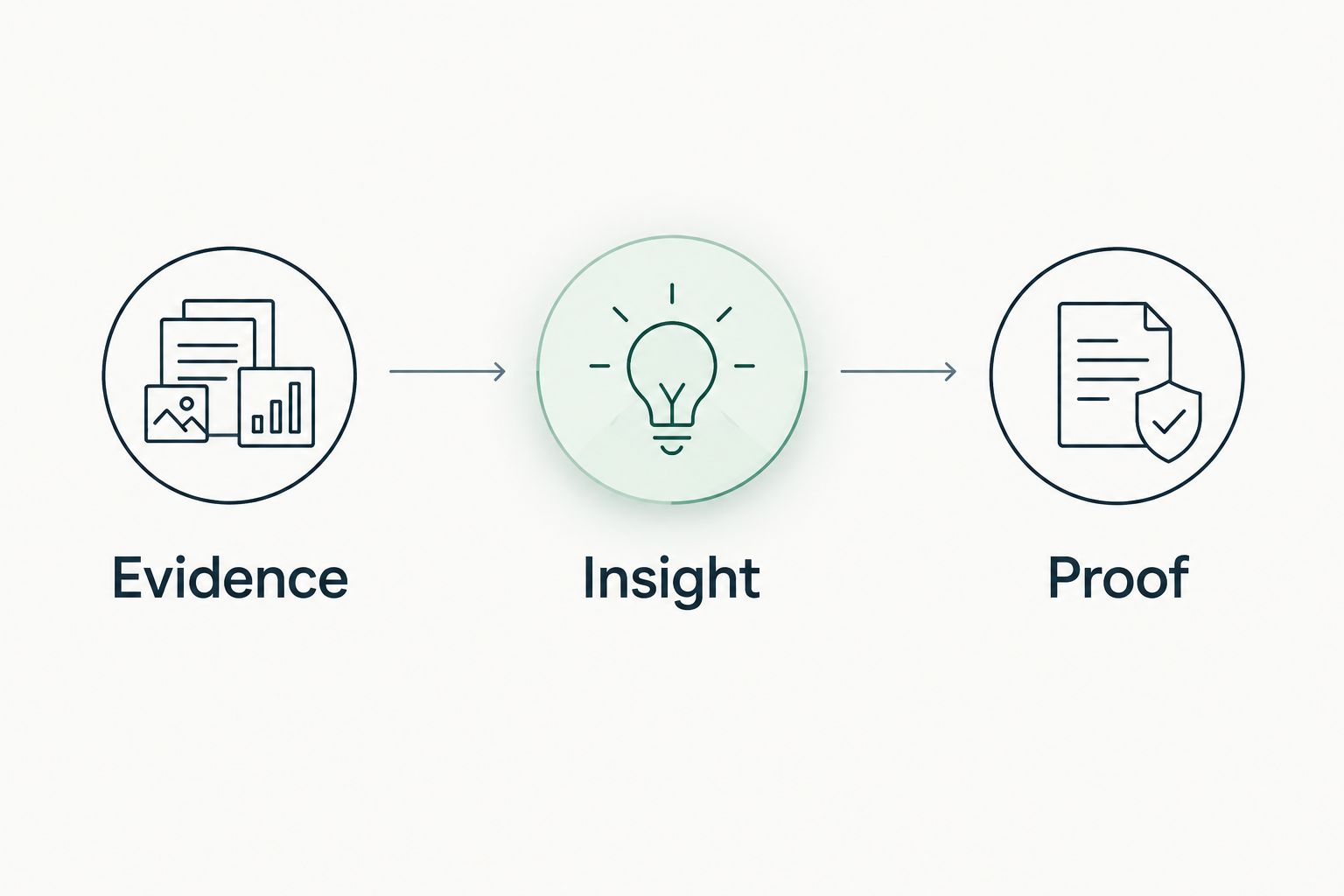
Use 2 dated scans when claiming a checked condition changed: the baseline and the verification run. If permissions or collection scope changed between runs, disclose that difference before describing improvement.
Build the scope
Separate the requested outcome from a vendor purchase. A DMARC observation can lead to sender discovery, reporting review, configuration work, continued monitoring, or a documented decision to leave the policy unchanged.
For cloud compliance work, automated AWS evidence collection addresses a different evidence source from a Microsoft 365 configuration review. Keep AWS evidence mapped to its own resources, collection dates, and assessment requirements rather than treating a tenant report as coverage for another platform.
Define exclusions in the proposal. Configuration review does not include reading business content, proving recovery, or investigating an incident unless separately authorized and scoped.
Earn the next commitment
Request a specific decision: approve discovery, name the owner, accept the exception, or authorize the proposed work. Record the agreed outcome and 1 verification date for each approved change.
Illustrative dialogue, not a customer result:
- Observed: Suppose a dated public DNS review shows a DMARC policy requesting monitoring only. State that condition and its collection date.
- Possible consequence: Explain that the published policy does not request quarantine or rejection. Do not infer compromise or an unintended configuration.
- Ask: Ask the client to identify who reviews reports and whether monitoring-only remains intended.
- Scope: If the client wants an enforcement review, propose sender discovery and report analysis before recommending a policy change.
- Commitment: Record who will approve the sender inventory and what evidence will support the next decision.
If the client says the policy is intentional, retain that context. The observation remains valid; the proposed work changes with the client's decision.
Validate the packet before presenting it
Your 2026 QBR packet should let another practitioner trace the claim without guessing. Use the same standard for a favorable result and a concerning finding.
- Source: Identify public DNS, authorized tenant configuration, endpoint assessment, or a supplied operational record.
- Date: Keep collection time separate from the date the presentation was assembled.
- Coverage: Mark Assessed, Partial, Not assessed, Permission limited, or License limited as applicable.
- Evidence state: Preserve Verified, Observed, Inferred, Possible, Unknown, and Unreadable as distinct descriptions, not score levels.
- Non-reads: Put declared non-reads under NOT ASSESSED THIS SCAN.
- Review: Have a person approve the claim, consequence, and recommended outcome.
Follow the same discipline when validating security assessment findings before a call. An unread source stays unknown; a closed ticket needs supporting verification before the QBR calls the condition resolved.
Which tool should you choose?
Start with SCOUTz when your main requirement is an evidence-led client conversation, then evaluate its beta reporting against your actual review process. Add Microsoft Secure Score for Microsoft posture context, Microsoft Defender Vulnerability Management for endpoint exposure, or Microsoft Purview Compliance Manager for assessment coordination.
Keep delivery evidence in the systems that produced it. CRM owns the relationship; operational platforms run delivery. Your QBR connects the evidence to a decision without replacing either function.
Evaluate your evidence-led review workflow
Bring a defined QBR use case and test the evidence, boundaries, and reporting requirements.
FAQ
What's the best tool for MSP QBR security evidence?
SCOUTz is the best fit here for connecting dated security findings with client decisions. Evaluate its beta reporting workflow against your QBR requirements and retain separate operational evidence.
Is Microsoft Secure Score enough for a security QBR?
Microsoft Secure Score is not enough for a complete security QBR. Include underlying findings, assessment coverage, operational evidence, and decisions with named owners.
Can a public-domain review prove Microsoft 365 controls are configured?
A public-domain review cannot establish internal Microsoft 365 control configuration. Conditional Access, application permissions, license assignments, device state, and tenant sharing require appropriate authorized evidence.
Does a better security score prove the client is safer?
A better score alone does not prove a safer outcome. Review the underlying changes, affected objects, coverage, and verification before making a specific claim.
How do I prove remediation in a QBR?
Compare verification evidence against a pinned, dated baseline for the same condition and affected object. Disclose changed permissions, scope, or collection limits that affect comparability.
Does Compliance Manager progress mean a client is certified?
Compliance Manager assessment progress does not establish certification. Keep assessment tracking separate from independent assurance and the assessor's acceptance of evidence.
What should an MSP do with unreadable evidence?
Mark unreadable evidence explicitly and retain the coverage limitation. Do not interpret an unread source as an absent control or a clean result.
One last thing
Put coverage beside the finding, not in an appendix. A favorable result with permission-limited coverage supports a narrower claim than the same result from an assessed source. Preserving that distinction gives the client a decision they can understand and a record your technical team can defend.