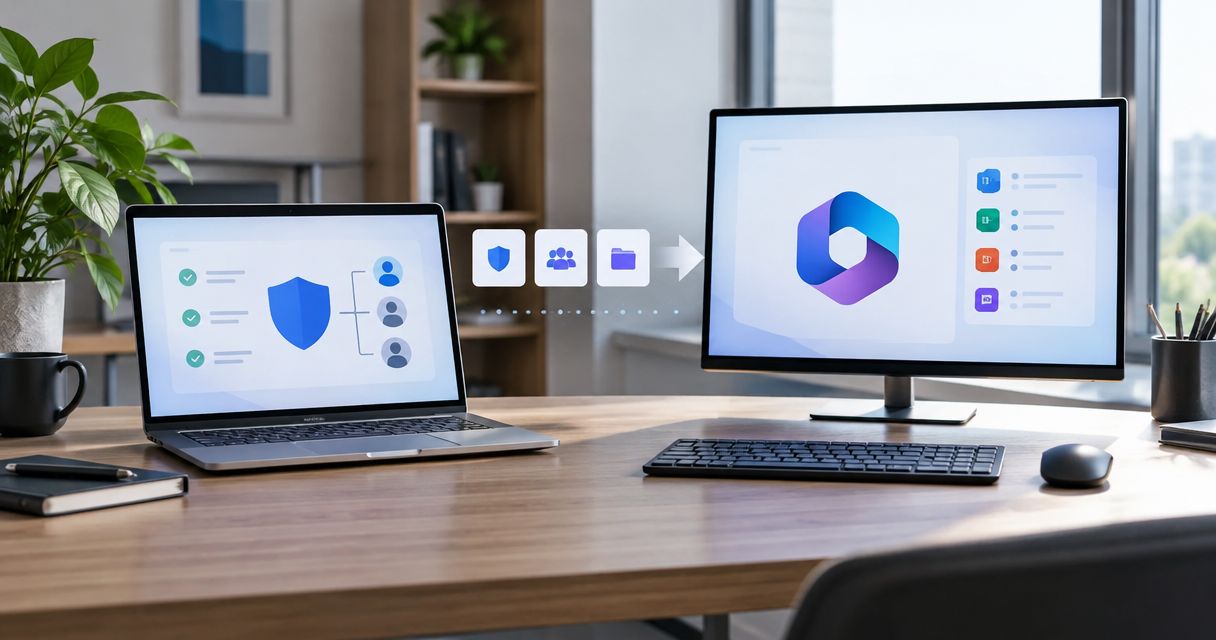
Senior living security posture assessment is a dated review of security conditions, ownership and evidence gaps with the aim of agreeing on justified improvements for a facility operator. For MSPs, the review must distinguish public-domain observations from authorized internal evidence and connect each recommendation to the services the operator actually runs.
- For a security posture assessment for senior living facilities, SCOUTz supports MSP sales preparation, not facility-wide certification.
- Separate public-domain evidence, authorized Microsoft 365 configuration evidence, and systems outside the assessment.
- Record the source, run date, affected object, evidence boundary and responsible owner for each finding.
- Agree on a scoped next action, then verify the result against a pinned baseline.
Why security posture assessment matters for senior living
A senior living address does not define an assessment boundary. Before reviewing technology, establish whether the engagement covers independent living, assisted living, skilled nursing, a corporate office or a combination. Ask which legal entities, facilities and vendors control each system.
That distinction changes the proposal. A domain review cannot establish the condition of resident Wi-Fi, a medication platform, access-control equipment or a nurse-call system. Include those systems in discovery only where relevant, then assign a separate assessment method and authorized owner.
For your 2026 assessment, start with a defensible boundary rather than a facility-wide score. Use the guide to validate security assessment findings before a call before turning a technical observation into an owner-facing recommendation.
How to assess senior living security posture
1. Define the operator and the decision
Start manually with an interview and a scope worksheet. Identify the decision the operator needs to make: authorize deeper discovery, review email configuration, establish responsibility across locations or commission a separate technical assessment.
Use the first part of the SCOUTz Evidence-to-Agreement Framework: Find the decision. This is a conversation framework, not a proven sales-performance intervention. Its purpose here is to keep the assessment tied to an explicit choice.
Confirm whether the operator owns the domain, administers the tenant and controls the systems under discussion. A facility manager's involvement does not establish authority over a corporate tenant or a vendor-managed service.
Record these boundaries in the engagement notes:
- Name each legal entity, facility, domain and tenant included.
- Identify the executive sponsor and technical approver.
- Separate corporate IT from resident-facing and vendor-managed services.
- Ask which workflows the operator wants reviewed and why.
- State the decision the assessment should support.
2. Establish authorization and evidence coverage
Create an authorization record before accessing internal systems or conducting active testing. Specify the permitted methods, objects, permissions, exclusions and handling of exported evidence. Public observation and active probing require different consideration; neither a domain name nor a meeting invitation establishes blanket authorization.
For Microsoft 365, obtain customer-approved access within the agreed review scope. Keep configuration and metadata separate from message, file and conversation content. A security sales review should collect only what the engagement requires.
For the 2026 engagement, maintain separate fields for evidence state and coverage. Observed describes evidence; Partial describes coverage. Neither establishes that an entire tenant is safe or unsafe.
Close this step with a readable authorization and coverage record:
- Document who authorized each review and what authority they hold.
- Identify permissions and licenses required for the intended evidence.
- Mark coverage as Assessed, Partial, Not assessed, Permission limited or License limited.
- List unread sources under NOT ASSESSED THIS SCAN.
- Confirm retention, sharing and deletion expectations with the customer.
3. Collect dated domain and tenant evidence
The manual route starts with public DNS records, domain configuration and customer-authorized administrative evidence. Save the query or check name, affected object, source and observation time. Keep raw evidence available for technical review without placing unnecessary sensitive details in the sales presentation.
SCOUTz provides prospect intelligence through domain and customer-authorized Microsoft 365 reviews. Its role is to prepare the conversation with dated evidence. According to the client-supplied October 15, 2026 product reference, Microsoft 365 Review is Open Beta; confirm the current scope before proposing it.
SCOUTz is best for MSPs preparing evidence-led senior living sales conversations. Its limitation is equally important: evidence from supported sources does not establish the condition of every facility system.
Keep collection tied to explicit evidence boundaries:
- Review published SPF, DKIM and DMARC evidence within the agreed domain scope.
- Keep tenant configuration evidence separate from public-domain observations.
- Record permission-limited or unreadable sources without treating them as clean.
- Keep mail, files, chats, documents and prompts outside the Microsoft 365 review.
- Assign network, endpoint and operational-system testing to separately authorized work.
4. Translate conditions into owner-facing questions
Use a worksheet before writing a proposal. Give each entry separate fields for condition, affected object, evidence, unknowns, possible consequence and recommended outcome. This prevents a technical observation from becoming an unsupported claim about compromise.
Apply Bring the evidence, the next part of the conversation framework. Show what ran and when. Explain the boundary before proposing an action.
Consider an illustrative condition, not an actual facility finding: a published DMARC policy requests monitoring only. That describes a policy choice. It does not establish account compromise, malicious mail delivery or an unresolved problem. Ask who reviews reporting and whether monitoring-only remains intentional.
Use this structure for each owner-facing item:
- Observed: state the exact condition and attach its check date.
- Possible consequence: describe the relevant exposure without inventing an incident.
- Boundary: identify what the evidence cannot establish.
- Owner: name the person or vendor responsible for confirming intent.
- Ask: request the next fact or decision needed to proceed.
5. Build a scope the operator can accept
Draft the scope manually from the evidence register. Use Build the scope to connect an agreed outcome to a specific object, owner and acceptance test. Keep the outcome separate from the vendor or product you sell.
For example, a monitoring-only DMARC observation supports a review of sending sources, reporting ownership and intended enforcement. It does not justify an immediate enforcement change without checking legitimate senders. Likewise, an observed application permission supports an authorization review, not a claim that the application is malicious.
Write 3 acceptance tests into a proposed configuration-review engagement: the agreed evidence is collected, an authorized owner records a decision, and any approved change receives a verification result. These are proposed contract criteria, not claims about product performance.
Make the scope usable by both buyer and technician:
- Identify the affected domains, tenants or objects explicitly.
- State which questions the engagement will answer.
- Assign customer, MSP and third-party responsibilities.
- Separate assessment, approved implementation and verification work.
- Preserve the operator's choice of service, process, project or no change.
6. Earn an explicit next commitment
Use Earn the next commitment to close discovery with a choice the operator understands. Seek approval for a defined next action rather than treating interest in a report as agreement to a broader contract.
Prepare a short follow-up manually: the dated observation, its limit, the agreed question, the proposed owner and the requested decision. Do not describe an email open or public business event as buying intent.
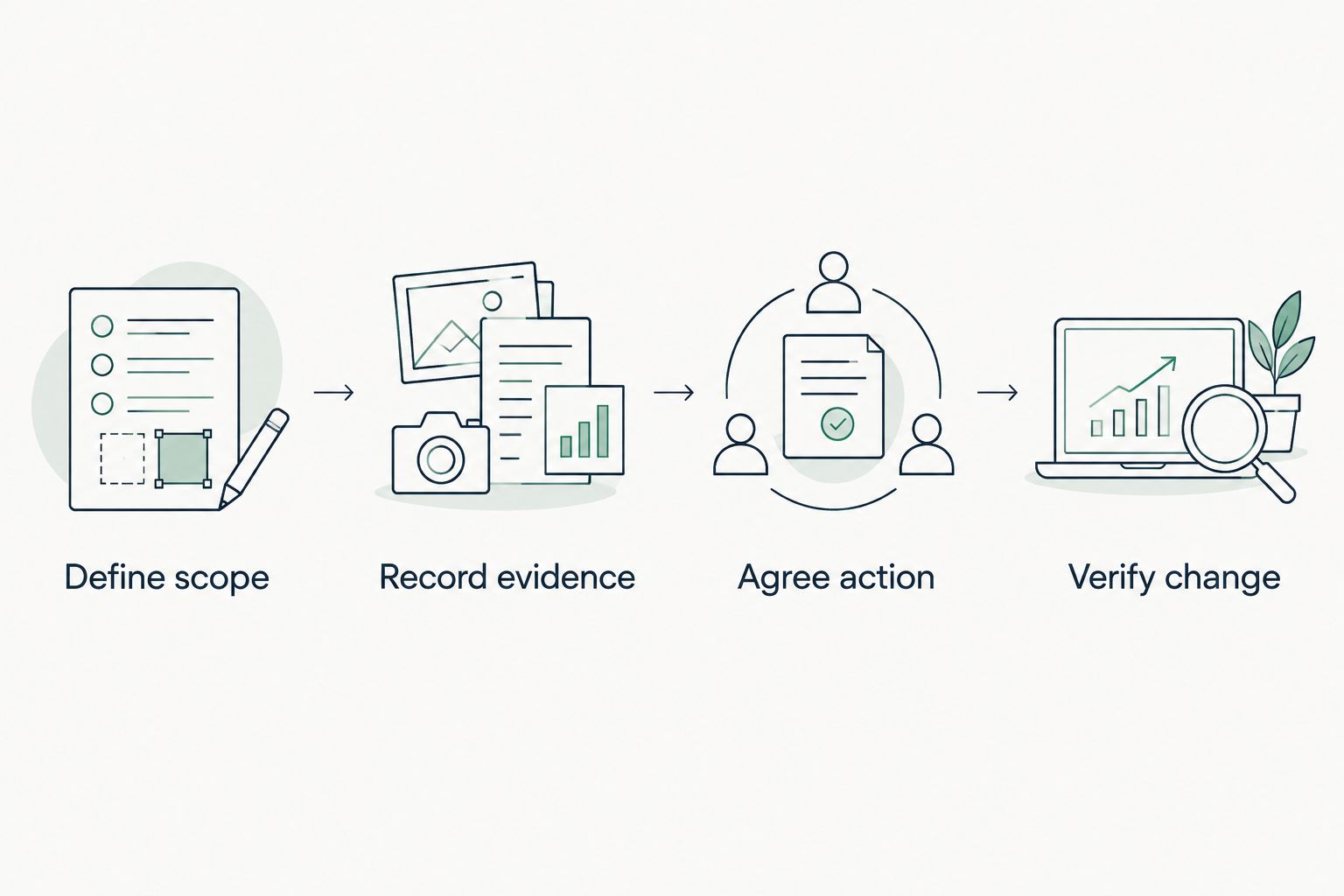
The working sequence is Define scope, Record evidence, Agree action, Verify change. Keep that sequence visible in your meeting notes so the proposal follows the evidence.
The following is an illustrative follow-up script, not a customer quotation: The dated review observed the published policy described in the attachment. Sender coverage and policy intent remain unconfirmed. Please confirm the responsible owner and whether you authorize the scoped reporting review.
Before sending that follow-up:
- Ask the operator to confirm or correct the observation's context.
- State the next action and the person authorized to approve it.
- Include the evidence boundary in the proposal.
- Offer a smaller discovery step when broader access is not approved.
- Record an explicit decision, including a decision to defer.
7. Verify changes against a pinned baseline
Start with a saved baseline and a repeatable check. Record what changed, who approved it and whether the same source was readable during verification. A different result needs explanation; it is not automatically evidence of successful remediation.
For a 2026 QBR, prepare 2 report views: an operator view containing technical evidence and a client-safe view containing the condition, decision, owner and verification result. Keep them consistent. Removing technical detail must not remove uncertainty or exclusions.
SCOUTz security posture assessment preparation follows the same evidence boundary: a rescan against a pinned baseline provides proof within the assessed scope. Backup software presence, for example, does not establish recoverability.
Finish verification with a traceable record:
- Retain the original source, check name, run date and affected object.
- Record the approved intervention separately from the observed result.
- Repeat the relevant check and compare equivalent evidence.
- Preserve unchanged findings, unread sources and remaining unknowns.
- Carry deferred decisions into the next review with a named owner.
Compare assessment options by their jobs
Choose the assessment method by the decision it supports. A domain review is a useful first evidence layer; an internal assessment answers different questions. Neither replaces interviews about ownership, workflows and vendor responsibilities.
| Option | Best for | Useful contribution | Key limitation |
|---|---|---|---|
| Manual evidence register | MSPs defining an initial facility scope | Records sources, dates, owners and exclusions without a dedicated platform | Collection and consistency depend on the reviewer |
| Public-domain review | MSPs preparing an external email and domain discussion | Establishes dated observations about published domain configuration | Cannot establish tenant controls, endpoint state or facility-network security |
| Authorized Microsoft 365 review | MSPs investigating agreed tenant-configuration questions | Adds consented configuration and metadata evidence | Coverage depends on scope, permissions, licensing and readable sources |
| SCOUTz prospect intelligence | MSPs preparing evidence-led discovery and proposals | Brings domain and authorized tenant evidence into sales preparation | Microsoft 365 Review was labeled Open Beta in the October 15, 2026 reference; supported evidence is not a whole-facility assessment |
| Separately scoped technical assessment | Operators needing network, endpoint or specialized-system testing | Addresses systems beyond a domain or tenant review | Requires its own authorization, expertise and operational coordination |
Use the table to avoid selling a wider conclusion than your method supports. For SCOUTz, Join Open Beta is the primary next step; confirm the current review boundaries before committing them to a customer scope.
Common mistakes MSPs make with senior living assessments
Treating every senior living operator as the same entity
Confirm the service model and legal responsibilities before discussing compliance. HIPAA applies to covered entities and business associates; a senior living label alone does not establish either status. Ask the operator's compliance lead or counsel to confirm applicability and scope.
Extending corporate findings to facility systems
A tenant observation does not describe a nurse-call system, resident network or vendor-hosted application. Keep those systems listed as outside scope until the authorized assessment addresses them. Name the responsible vendor instead of assigning an unsupported deficiency.
Presenting missing access as a passing result
A permission-limited tenant review leaves questions unanswered. Put those questions in the report and proposal. Otherwise, a facility executive receives an apparent assurance that the evidence does not support.
Proposing changes before confirming operational ownership
Before recommending an identity, email or network change, identify who owns dependent workflows and approves implementation. Separate the desired outcome from the implementation choice. The operator needs a controlled decision, not a sales-driven configuration change.
FAQ
What's a security posture assessment for senior living facilities?
A security posture assessment for senior living facilities is a dated review of agreed security conditions, evidence gaps and responsibilities. Its conclusions apply only to the entities, systems and evidence sources included in scope.
Can an MSP assess a senior living facility without network access?
An MSP can review public-domain evidence without accessing the facility network. That review cannot establish internal network security, endpoint condition or Microsoft 365 tenant controls.
Does every senior living facility need a HIPAA assessment?
A senior living label alone does not establish HIPAA applicability. Confirm whether the relevant entity is a covered entity or business associate and have its compliance lead or counsel define the applicable scope.
Can a public-domain scan show whether Microsoft 365 MFA is enforced?
A public-domain scan cannot establish Microsoft 365 MFA enforcement. That question requires authorized internal evidence and careful review of the applicable identities, policies and coverage.
Is SCOUTz a replacement for a full facility security assessment?
SCOUTz supports MSP prospect intelligence and evidence-led sales preparation rather than establishing whole-facility security. Domain and authorized Microsoft 365 evidence leave systems outside those sources unassessed.
What should an MSP do when a source cannot be read?
Record an unreadable source as unreadable and describe the coverage limitation. Keep it under NOT ASSESSED THIS SCAN rather than treating missing evidence as an absent control or a passing result.
What should happen after the assessment meeting?
Agree on a specific next action with an authorized owner. The proposal should name the evidence, remaining unknowns, scope, acceptance criteria and verification method.
One last thing
A valid assessment can end with no configuration change. An authorized owner can confirm that an observed condition is intentional, document its rationale and agree on a future review trigger.
For your next 2026 senior living prospect meeting, bring 1 evidence register with explicit exclusions. Ask the operator to correct ownership and context before approving work. That turns the report into a decision record while keeping the relationship and the sale with the MSP.